Confimedis Platform v3.3.0
Overview
| Scope | Feature |
|---|---|
| Version | v3.3.0 |
| Release date | January 5, 2026 |
| Deployed to Confimedis Cloud | — |
| Affected modules | Forms, Subjects, Reports |
Validation
Validation by Confimedis
Confimedis GmbH has validated this release in accordance with its quality management system and GAMP 5 before deployment, re-executing the test cases of the Operational Qualification (OQ) for the affected functions according to their risk classification. A release does not change the configuration of your study, such as forms, edit checks, roles, or users, which your Performance Qualification (PQ) covers. Where existing settings are migrated, the note says so. The Validation Package of every release, including the OQ report and a prefilled Validation Summary Report (VSR), is available on request and only needed for an initial validation or a revalidation. A test project is a copy of your study without patient data, created via CDISC ODM export and import.
This release predates the introduction of Release Impact Statements. Its changes are listed below.
Changes
Features
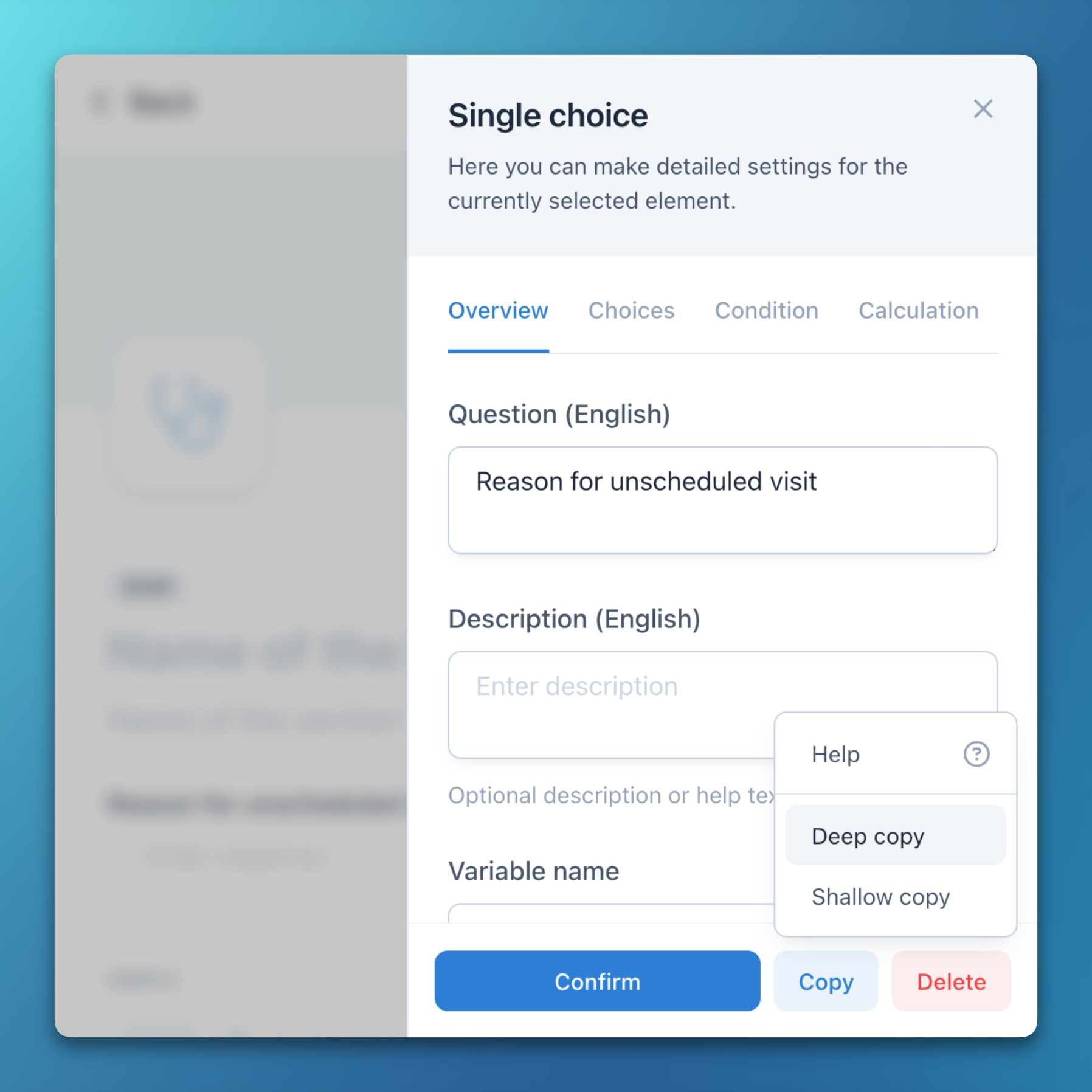
- Forms: Copy metadata elements
- Study event groups (e.g., arms), events (e.g., visits), forms, sections, item groups (e.g., Likert scales), and items can now be copied using two different methods:
- Deep copy: The entire element and all contained elements (questions, choices, etc.) are fully copied. Everything can then be edited without affecting the original element.
- Shallow copy: Contained elements (questions, choices, etc.) are referenced instead of copied. These therefore automatically adopt subsequent changes or corrections to the original element.
- This feature is particularly useful for creating data matrices, reusing existing forms with minor adaptations, or duplicating study arms.
- Study event groups (e.g., arms), events (e.g., visits), forms, sections, item groups (e.g., Likert scales), and items can now be copied using two different methods:
Improvements
- Subjects: The metadata element slideover now includes a dedicated Confirm button. Even though changes are saved automatically by default, this improves interface consistency and also hides the slideover on click.
- Subjects: After adding a new field, the form editor now automatically scrolls it into view.
- Reports: The Tabular overview default report now displays a subject’s location, creation date, form completion status, and answer date.