Confimedis Platform v3.5.0
Overview
| Scope | Feature |
|---|---|
| Version | v3.5.0 |
| Release date | February 2, 2026 |
| Deployed to Confimedis Cloud | — |
| Affected modules | Settings, General, Subjects |
Validation
Validation by Confimedis
Confimedis GmbH has validated this release in accordance with its quality management system and GAMP 5 before deployment, re-executing the test cases of the Operational Qualification (OQ) for the affected functions according to their risk classification. A release does not change the configuration of your study, such as forms, edit checks, roles, or users, which your Performance Qualification (PQ) covers. Where existing settings are migrated, the note says so. The Validation Package of every release, including the OQ report and a prefilled Validation Summary Report (VSR), is available on request and only needed for an initial validation or a revalidation. A test project is a copy of your study without patient data, created via CDISC ODM export and import.
This release predates the introduction of Release Impact Statements. Its changes are listed below.
Changes
Features
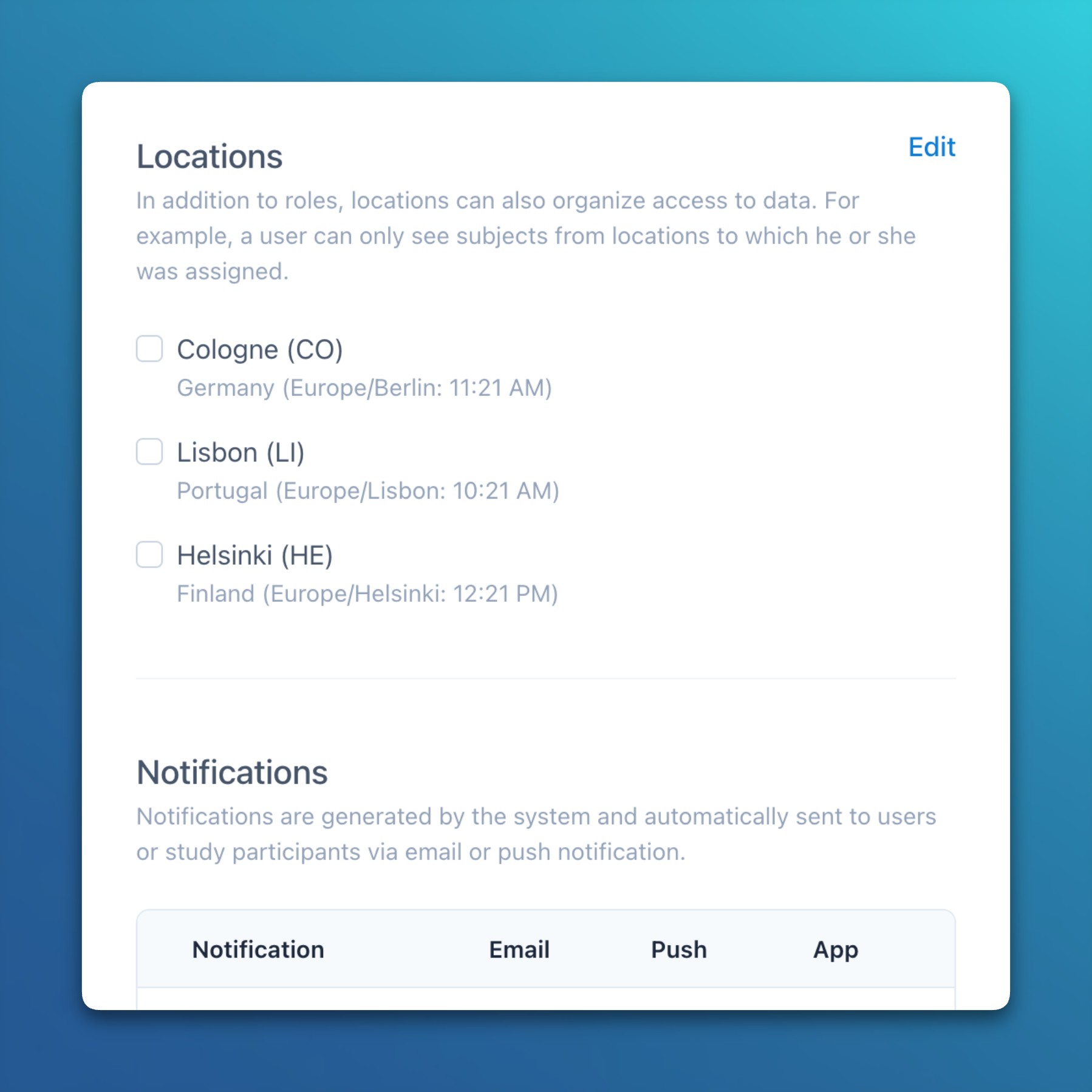
- Settings: Study and site-specific time zones
- A study-based time zone can now be defined at the project level, and it’s also possible to specify a time zone per site when sites are geographically dispersed.
- Site-specific time zones function as an override, ensuring that sites without a time zone automatically use the one defined at the project level.
- Time zones are primarily used to calculate visit schedules and automatically send push notifications to participants based on their local date and time.
Improvements
- General: Added additional data modification confirmation prompts (e.g., when creating form or document drafts) and success notifications (e.g., after changing the project status) throughout the application.
- Subjects: For each event, a reference date can now be defined, which is used in visit schedules instead of the event answer date.
- Subjects: Fields in a data matrix now display their value as a tooltip, which is especially useful for disabled inputs where long values may be truncated and not fully visible.
Bug fixes
- Subjects: Solved an issue that caused the data matrix instance buttons to remain visible when the form was disabled.
- Subjects: Solved an issue where the data matrix validated inputs after each typed character, which could result in negative number signs being initially removed when followed by a zero.