Confimedis Platform v3.6.1
Overview
| Scope | Maintenance |
|---|---|
| Version | v3.6.1 |
| Release date | February 23, 2026 |
| Deployed to Confimedis Cloud | — |
| Affected modules | Administration, General, Forms, Surveys, Subjects, Documents |
Validation
Validation by Confimedis
Confimedis GmbH has validated this release in accordance with its quality management system and GAMP 5 before deployment, re-executing the test cases of the Operational Qualification (OQ) for the affected functions according to their risk classification. A release does not change the configuration of your study, such as forms, edit checks, roles, or users, which your Performance Qualification (PQ) covers. Where existing settings are migrated, the note says so. The Validation Package of every release, including the OQ report and a prefilled Validation Summary Report (VSR), is available on request and only needed for an initial validation or a revalidation. A test project is a copy of your study without patient data, created via CDISC ODM export and import.
This release predates the introduction of Release Impact Statements. Its changes are listed below.
Changes
Improvements
- Administration: Added Single Sign-On (SSO) support via Keycloak using OpenID Connect (OIDC) for enterprise Confimedis instances.
- Administration: Added the option to configure custom large language models (LLMs) for the assistant within enterprise Confimedis instances.
- General: Improved reliability of real-time connections via WebSockets, including an error indication and message for detected connection issues.
- General: Improved user interface consistency for footer elements across the application, while also showing more notifications on successful saves.
- Forms: In addition to the current event (and event instance), conditions and calculations can now also use the current form (and form instance) as dynamic variables.
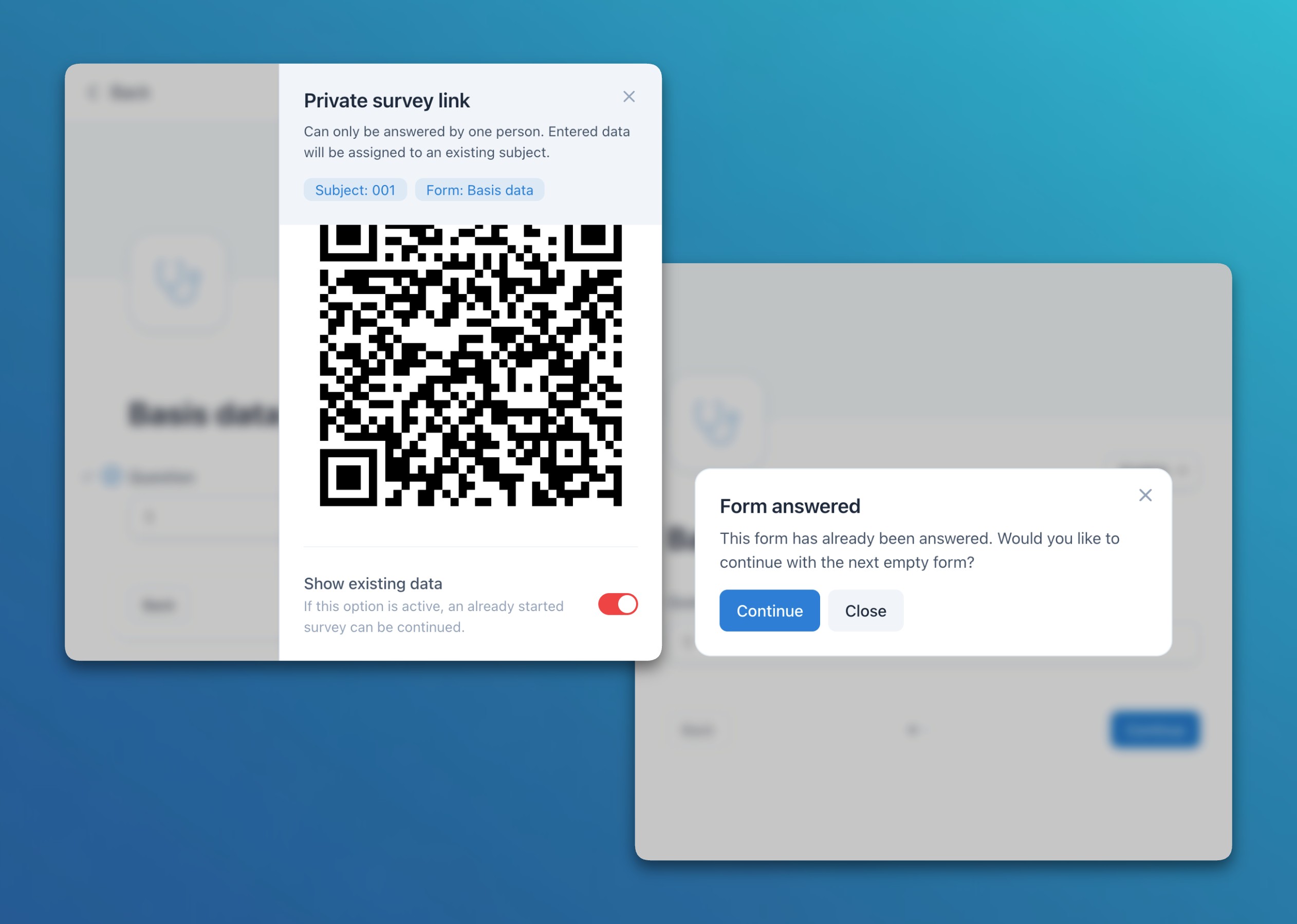
- Surveys: Added an option to show existing form data in individual subject-specific surveys / ePRO links. This is particularly helpful to allow participants to continue an incomplete survey. When opening an answered form, the system also asks if the user wants to go to the first unanswered form.
- Surveys: The audit trail now records survey / ePRO link sessions, which allows tracking how often a link or QR code was opened and completed.
- Subjects: When a repeating limit is set for events or forms, the subject list and table now display all available instances up to that limit.
- Documents: Added a new link function to expressions, allowing dynamic clickable links to be created and rendered in documents and descriptive texts.
Bug fixes
- Subjects: Solved an issue where, when both soft and hard validation checks were set for the same item, the soft check could overwrite the hard check depending on their creation order.