Neuerungen
Änderungsprotokoll
Alle Versionen der Confimedis Plattform mit ihren Änderungen. Zu neueren Versionen gibt es ein Release Impact Statement, das Ihnen auf einen Blick sagt, ob auf Ihrer Seite eine Handlung empfohlen wird.
2026
- Vor Nutzung prüfen
-
Zusammenfassung: Berichte erhalten Linien-, Streu- und Blasendiagramme, den Probandenstatus und das nächste Ereignis als Felder, einen CSV-Download jedes Diagramms und den neuen Standardbericht Rekrutierungsstatistik. Im eConsent kann die Unterschrift der aufklärenden Person dem Studienteam vorbehalten werden, und das Studienteam kann eine vom Teilnehmer unterschriebene Einwilligung widerrufen.
Release Impact Statement →Features
- Reports: New Charts, Fields, and Recruitment Statistics
- The Subject status is now available as a field in reports (as a table column, in charts, and as a data filter) and as a column of the CSV export, in the same way as the location.
- The Next event of a subject is now available as a field in reports as well, so that subjects can be counted and filtered by the point of the study they are at, while subjects without a current or upcoming event are listed as Not scheduled.
- The new Line chart shows the number of subjects per value as a course, such as the subjects created by month, and is otherwise used like a bar chart, including the filtering by a click on a point.
- The new Scatter chart plots two numerical fields against each other with a point per subject, such as the age against the weight, with the fields chosen under X-axis and Y-axis, where the first value of a subject is used for fields of repeating forms.
- The new Bubble chart combines two categorical fields, such as the location and the subject status, and shows the number of subjects in every combination as the size of a bubble, which filters the report by both values when clicked.
- Pie charts now show every segment in a different color, the rows of a bubble chart share these colors, and the tooltips of all charts have a neutral style that shows the color of the entry, while a filtered entry stays highlighted and the others recede.
- Every chart and data filter can now be downloaded via Download as a CSV file with the number of subjects per value or combination, and the scatter chart with the values of every subject.
- A chart without a description now carries the names of its fields or forms (up to three, with their grouping such as by month) as title, which follows the language of the interface and gives way to a description as soon as one is entered.
- The new default report Recruitment statistics shows the subjects by their status, location, and month of their creation, with a filter by year and a table of all subjects, and the recruitment card of the dashboard now opens it instead of reloading.
Improvements
- Users: When an account is temporarily locked after too many failed login attempts, the login page and the password reset page now say so, instead of reporting wrong credentials or an expired link.
- General: Every list with a search, such as the subject list, can now be sorted by the name of its entries via Filter and sort.
- eConsent: The signature field of the person who conducted the consent interview can now be set to Study team only under Signer, so that participants cannot sign or withdraw it in surveys, ePRO links, or the participant app, while both signatures can be given in either order.
- Subjects: The subject list can now be filtered by the Next event of a subject (the event whose time window is open or otherwise the next scheduled one), which is also available as a column of the table view.
Bug fixes
- Subjects: Fixed an issue where editing a subject in a project with an active randomization (for example to set its status) could unset the assigned study arm, so that its events and data were temporarily hidden.
- Users: Fixed an issue where the setup of two-factor authentication could not be started again after an abandoned attempt (for example in another browser) until that attempt had expired.
- Participant: Fixed an issue where a visit in the participant app counted as answered (moving to the previous visits and ending its notifications) as soon as the study team had entered data in one of its forms, such as a signed eConsent, instead of once the participant has completed one of their forms.
- eConsent: Fixed an issue where the study team could not withdraw a consent that the participant had signed in a survey or the participant app, which everyone who may edit the form can now do as long as the form and the subject are not locked.
- Forms: Fixed a rare issue where a field that had been deleted from a form could be restored in an incomplete state by the next change to the same section when the live connection to the server had dropped in the meantime, so that the form could no longer be opened and its export failed.
- Documents: Fixed an issue where italic text in a printed document was not shown in italics, bold text lost its formatting after an italic word, and spaces next to formatted text or between two expressions were missing.
- Reports: New Charts, Fields, and Recruitment Statistics
- Vor Nutzung prüfen
-
Zusammenfassung: Projekte lassen sich jetzt für eine Zwischenauswertung oder nach Abschluss der Datenerhebung sperren. Probanden erhalten einen Probandenstatus und können gesperrt oder archiviert werden. Ein eConsent kann auch in ePRO-Links mit den Unterschriften von Teilnehmer und aufklärender Person erfasst werden.
Release Impact Statement →Features
- Settings: Database Lock
- A project can now be locked in the Settings under Database lock, for example for an interim analysis or once the data collection is complete, which suspends all permissions to edit study data (such as adding subjects, entering data, opening queries, randomizing, or importing) for every user, including the project owner and administrators, while all data remains readable.
- Selected permissions can be kept available during the lock, such as Answer queries for the sites while the remaining findings are resolved.
- The lock can be lifted at any time in the same place, and both locking and unlocking require a reason, which is documented in the audit trail of the project.
- A locked project shows a notice above its content, while its ePRO surveys cannot be answered and their automated invitations are paused.
- The lock replaces the former project status Finished. Projects in that status are now in Production with a full lock, which can be lifted like any other.
- Subjects: Subject Status and Lock
- A subject can now carry a Subject status that reflects where it stands in the study (Screening, Screen failure, Enrolled, Discontinued, or Completed), which is chosen when the subject is created or edited, shown next to the subject in the list, and available as a column and filter in the table. The former status of a subject is now named Form status.
- A subject that left the study (Screen failure, Discontinued, or Completed) is no longer scheduled for events, shown in the calendar, or invited to ePRO surveys, while its data remains editable, for example for a completion form or open queries. A subject under Screening becomes Enrolled once it is randomized.
- The new setting Status of new subjects decides whether subjects start under Screening, Enrolled, or without a status, no matter whether they are created by users, register themselves via a survey, or are imported. Existing projects keep tracking no status until the setting is changed, and the status and lock are included in the CDISC ODM export and import.
- A subject can now be locked via Lock in its actions menu with the new permission Lock subjects, which prevents any change to the subject, its data, and its forms for every user, including the project owner and administrators, until the lock is lifted with Unlock. Its forms can still be signed and its queries still be processed. The ePRO surveys of a locked subject cannot be answered and their automated invitations are paused, while the participant app explains the lock in a notice and accepts no entries either.
- Instead of being deleted, a subject is now archived via Archive with the permission Archive and delete subjects, which locks it and hides it from everyone without the permission View archived subjects (included in the former), while Restore brings it back at any time. Deleting a subject remains possible for archived subjects only, and for any subject in a project in Draft.
- Every change to a subject (such as its key, location, study arms, status, or lock) now asks for a confirmation with a reason, which is documented in the audit trail of the subject.
- Archived subjects are left out of all reports and, by default, of exports, where Include archived subjects adds them for a complete backup, while the export can be narrowed down to the subjects of interest, such as only completed or only unlocked ones.
Improvements
- Forms: Deleting an event, form, section, or field now also removes everything that only existed within it (such as sections, fields, choices, translations, and range checks), while elements that are still used elsewhere, such as a section reused in another form or a form version with collected data, are kept.
- Forms: Deleting an event, form, section, or field that already holds collected data is now prevented with an explanation, consistent with the assignment of events and forms, while a project in Draft remains free to remove anything, since its test data is disposable.
- Settings: The project status is now changed in its own section via Change status with a confirmation that explains each transition, and the help text of the section now reflects that versioned forms can still be changed by creating a new version.
- Settings: Archiving a project is now done via the project status with a reason and locks it entirely, while an archived project can still be opened to view its data, is listed after the active projects, and can be reopened at any time.
- Documents: The custom PDF viewer now also works on older devices and browsers, such as iPads with iPadOS 15 to 18.3, on which PDF documents previously did not load.
- eConsent: In surveys and ePRO links with Show existing data, an eConsent can now be signed by the study participant and by the person who conducted the consent interview on the same form, so that the participant downloads a PDF that carries both signatures.
- Users: If a login via Single Sign-On (such as Keycloak) fails, the error reported by the identity provider is now shown on the login page, so that it can be passed on to the support.
- Users: The preset roles now cover the more recent permissions, such as randomizing subjects, archiving them, or importing data. A preset role that is already in use keeps its permissions, since the new set applies when a preset role is assigned for the first time.
- Users: A new preset role Administrator grants every permission of a project, including the management of users, roles, locations, and the project settings, and can be adjusted like any other preset role.
Bug fixes
- Notifications: Fixed an issue where an automated ePRO invitation was no longer sent as soon as the study team had entered data in any form of the visit, so that a survey which starts with a later form or whose form was prepared in advance never reached the participant. An invitation and its reminders now end once the participant has answered, the form is complete or locked, or the link was deactivated.
- Notifications: Fixed an issue where a condition on the event or the form in a document used as an email template was never fulfilled, so that the section it guarded was missing from the automated email.
- Subjects: Fixed an issue where a visit that was skipped by its condition, or that belongs to another study arm, was shown as the next step of a subject in the list and as an entry in the calendar.
- Subjects: The lock of a form is now also enforced by the server, so that the data of a locked form can no longer be changed through direct access to the database, which the interface already prevented.
- Subjects: Fixed an issue where a value of the wrong data type, such as text in a date field, showed the custom message of a range check instead of the message about the expected data type.
- Subjects: Fixed an issue where a user with Edit specific forms could still set a Missing reason or change the form status in a form they were only allowed to view, which failed with an error message.
- Subjects: Fixed an issue where a repeating visit with an offset of 0 days from its predecessor was only scheduled for its first day, so that the following repetitions had no date.
- Surveys: Fixed an issue where the header image of a form was not shown in surveys when the file name of the image contained spaces.
- Settings: Database Lock
- Release Impact Statement →
Features
- Documents: Extended Electronic Trial Master File (eTMF) Support
- A new eTMF view in the documents module arranges all documents that are assigned to the TMF Reference Model by their zones, sections, and artifacts, where every artifact remains visible with the number of its documents, so that gaps in the trial master file stand out.
- The TMF Artifact can now be assigned in addition to zone and section and covers all 250 artifacts of the CDISC TMF Reference Model.
- Documents can be assigned to a Location to mark site-level documents, which is shown next to their version and can be used as a filter in both the list and the eTMF view.
- An Expand menu opens the entire eTMF, only the artifacts that hold documents, or collapses everything at once.
- The eTMF can be downloaded with all its documents into a folder structure by zone, section, and artifact (with a subfolder per location), while the list offers a Download action for selected documents and folders that keeps the folder structure. The workflow states to include are chosen beforehand, and documents written in the editor are saved as PDF.
- An entire folder can be uploaded at once via Folder upload, which recreates its subfolders and adds every PDF file it contains as a document, while folders named like a downloaded eTMF (such as 01.01.01 – Trial Master File Plan) assign their artifact to the documents inside, so that a downloaded eTMF can be restored in both views.
- Documents: Document Sharing
- Documents and folders now have a Share tab like reports and conversations, so that they can be shared with all team members or study participants, or restricted to specific locations, roles, and users, and collaborators can be invited to manage them together.
- Sharing a folder applies to everything inside it, which is shown in the list as Shared via the respective folder and noted in the Share tab of its entries, where the audience can still be extended.
- The permission View published documents has been renamed to View shared documents and only grants access to the documents module, while the sharing of each document or folder determines what a user sees. Existing documents were shared with everyone to keep their previous visibility.
- Roles are available as a new restriction for conversations as well.
Improvements
- Documents: An uploaded PDF file now carries its file name as title instead of New document.
- Documents: The actions of the review workflow now carry a short explanation of what each step does and what becomes possible afterwards.
- Export: Exports that consist of multiple files now download a ZIP archive on browsers without access to the file system, such as Safari, Firefox, and every browser on iOS, instead of reporting an error.
- General: The title of a conversation that is shared with a role now shows the name of the role.
- General: Dropdown menus are now positioned more reliably, so that they appear cut off less often.
- Documents: Extended Electronic Trial Master File (eTMF) Support
- Release Impact Statement →
Improvements
- Subjects: Time and datetime fields now provide a picker with hour and minute wheels, consistent with the calendar that date fields already offer, while a time can still be typed manually (now also without a leading zero, such as 5:30).
- Subjects: A new Phone number data type for text fields ensures that a number is entered with its country code (as +49 or 0049), which is required for an automated ePRO invitation to be delivered by SMS.
- Subjects: The rendering of fields and sections that are shown or hidden by a Condition has been made more robust, which improves the display of long forms during data entry, especially on mobile devices.
- Forms: The coded value of a field choice can now be changed without losing the translated texts of the other languages.
- Forms: A Condition or Calculation that cannot be read, for example because a value was not put in quotation marks, is now reported when the expression editor is left, so that the mistake is noticed instead of silently skipping a field, section, or event, while the expression itself is still saved and can be corrected later.
Bug fixes
- Users: Solved an issue where signing in could lead to an error after a system update, and a link that is opened while being signed out now continues to its page after signing in instead of to the dashboard.
- Subjects: Fixed an issue where the Required status or Condition of an event assigned to multiple study arms was applied to the event of another arm instead of the one being edited.
- Forms: Fixed an issue where a Condition or Calculation whose comparison was written without spaces around the operator was read incorrectly, so that it never applied and the affected field, section, or event was always skipped.
- Notifications: Fixed an issue where an event whose Reference date had not been entered yet was scheduled from the date of the preceding form instead, so that its automated ePRO invitation was sent too early.
- Notifications: Fixed an issue where an SMS that the provider rejected, for example because of a phone number without country code, was treated as sent and was therefore neither retried nor reported.
- Release Impact Statement →
Features
- Notifications: Custom Documents as Email Templates
- Custom documents can now be configured as email templates for system notifications. This allows, for example, to send custom emails to study participants when the schedule for a visit has been reached.
- A new Notifications tab in the Send as email slideover assigns a document to a notification type, separately for team members and study participants, so that both audiences can receive a different text for the same event.
- Title, preview text, and greetings of the document replace the default texts of the notification and its content is rendered as the body of the email.
- A document with an action link is used for the notifications that provide one and adopts their target, such as the ePRO link of a survey, while the label of the button is taken from the document. Without an action link, the document is used for the information-only variants instead.
- Documents are matched by language, so that one document per study language can be configured and every recipient receives the email in their own language.
- Conditions and calculations are evaluated against the data of the respective participant, which allows the subject key to be rendered within the text or a different paragraph to be shown depending on the visit.
- The configuration of an email now belongs to the document instead of a single version, so that it is no longer lost when a new version is drafted, and the latest published version is always the one that is sent.
Improvements
- Surveys: A new Incomplete answers option allows participants to submit a survey or ePRO even when mandatory questions were not answered. The missing answers are highlighted and confirmed beforehand, and the form is stored with the status incomplete so that the study staff can collect them later.
- Surveys: A new Locked answers option prevents participants from changing a page of a multi-page survey that was already submitted, for example by navigating back in the browser. Such a page is shown as read-only, while navigating back to review their own answers remains possible.
- Notifications: Automated ePRO invitations via email or SMS for participants without an account are now sent in the primary language of the respective form when no Language field is configured, instead of always defaulting to English.
- Notifications: Automated ePRO invitations now link to the first form of an event that is configured as a survey instead of always to the first form of the event, which allows the study staff to collect general or event-specific data in a preceding form.
- Notifications: Automated ePRO invitations are now sent immediately after a form is answered, instead of waiting for the regular 15-minute evaluations, so that a participant who completes a registration form receives the invitation for the following event right away. The regular evaluation continues to run alongside it to cover everything that depends on time passing rather than on data being entered.
- Notifications: Automated ePRO invitations now take study arms and event conditions into account, so that a participant only receives the invitation of the arm they were randomized into and only for events whose condition is met.
- Notifications: Event processing on the server is now built directly on the native notification mechanism of PostgreSQL, making automated processes (such as automated queries, assignment notifications, automatic randomization, registration emails, and ePRO invitations) more robust, with all changes made during a connection drop or system update being reconciled once the system is back online.
- Forms: A new action next to a field or section creates a condition on the answer of a preceding question with a single click, without having to open the expression editor.
- Forms: A search field above the previously used field choices now filters them while typing, which makes it easier to find and reuse existing code lists.
- Queries: The data validation plan and the metadata dictionary now also list the measurement unit of a field, next to its data type.
- Queries: A condition defined on an event, form, or section is now listed as a row of its own in the data validation plan and the metadata dictionary, so that it is visible and included in the CSV export.
- Queries: A new action in the header of a grouped column expands or collapses all of its groups at once, which makes a data validation plan or metadata dictionary that is grouped by several columns easier to navigate.
Bug fixes
- Documents: Solved an issue on Windows that could lead to a duplicated image when moving a newly inserted image via drag-and-drop.
- Forms: Fixed an issue in the form preview where a validation rule with a condition that references another field always reported an error.
- Subjects: Fixed an issue where file uploads could fail if the filename contained special characters.
- Notifications: Custom Documents as Email Templates
- Release Impact Statement →
Improvements
- Documents: PDF documents are now rendered in a custom PDF viewer instead of the one provided by the respective browser, which gives them a consistent behavior and appearance across browsers and devices.
- Surveys: In addition to text-based documents, PDF documents are now also displayed in surveys and ePRO links, using the new custom PDF viewer.
- Forms: Added a new subject field that gives access to the ID of the subject, for example, to render it within a descriptive text within a form.
Bug fixes
- General: Fixed an issue where a circular dependency between internal modules could lead to a Cannot access before initialization error when the SDK was imported into a Node, Deno, or Bun project.
- Release Impact Statement →
Features
- Queries: Automated Queries with Data Quality Rules, Data Validation Plan, and Metadata Dictionary
- The queries module now includes a Data quality view listing every field of the study together with the metadata that constrains its input. Quality rules can be enabled there so that a query is created automatically when data violates them.
- Six rule types are derived from the form definitions themselves and can therefore be enabled without further configuration: Mandatory field, Data type, Code list, Value range, Condition, and Calculation. Enabling a rule applies it to the entire study, where it can then be overridden for an individual field.
- A seventh type, Custom expression, allows arbitrary rules to be defined with the expression editor already known from conditions and calculations, for example for time-critical entries such as a serious adverse event (SAE) or a stopping criterion.
- Every rule carries a template for the queries it creates and assigns responsibility through roles instead of users, so that it remains valid when team members change. Together with the existing Query assigned notification, the responsible person is informed automatically when a form is saved.
- The same view also serves as a data validation plan (DVP) and, transposed, as a metadata dictionary with one row per field. Both can be grouped by any of their metadata columns and downloaded as a CSV file, for example for the trial master file.
- All rules can additionally be evaluated on demand against all data a user has access to, optionally including rules that are not enabled yet, so that the effect of a rule can be assessed before enabling it. The resulting findings are counted per rule and field, can be inspected individually, and can be turned into a regular query.
- Defining and enabling rules requires the new Manage quality rules permission, which is part of the default data manager role. Without it, the view remains readable while all inputs are locked.
Improvements
- Forms: Added new missing and status functions that give access to the missing reason and the status of a field, so that conditions, calculations, and quality rules can, for example, distinguish an unanswered field from one that was intentionally left empty.
- Subjects: Withdrawing an informed consent now marks the affected field as Withdrawn (previously, the withdrawal was recorded on the signature only). Since this status can be read in expressions, a quality rule with a custom expression can react to a withdrawal and, for example, create a query for the study team.
- Users: The permissions dialog now groups the permissions of a role by module, which makes the growing list easier to navigate.
Bug fixes
- Import: Fixed an issue where values from a CDISC ODM-XML file were imported as plain text instead of being converted to the data type of the respective field, which could lead to incorrect data type and value range validations for numeric fields.
- Queries: Automated Queries with Data Quality Rules, Data Validation Plan, and Metadata Dictionary
- Release Impact Statement →
Features
- General: Confimedis AI Assistant
- The Confimedis Assistant (first released as a beta in v2.23.0) is now a generally available, conversational AI assistant with agentic and optional reasoning capabilities, available across the entire platform in the collaboration slideover.
- It searches the help documentation to give concrete, grounded answers to questions about the application and its features.
- It has access to the data in the study, including the form definitions and subject information. This allows it, for example, to find subjects with specific clinical values, compile tabular overviews, or identify forms that have not yet been verified, and then navigate directly to them in the application.
- It can edit forms, extract clinical data (also from attached PDFs and images), and edit documents.
- The assistant is triggered exclusively by a request and does not work in the background. Beyond that, the use of the assistant and its access to study data are protected by a five-level security system:
- Activation per project: The assistant can be fully deactivated for any project at any time.
- Data access per module: Its access to study data is disabled by default and must be enabled per module in the project settings.
- Use per role: Working with study data must then be enabled individually for each role through four new permissions (one for reading study data, three for editing forms, clinical data, and documents).
- Permission per user: The permissions of the respective user continue to apply unchanged, so the assistant only ever sees the data that user is allowed to see.
- Human control and responsibility: Every change requires explicit confirmation in a side-by-side comparison (human-in-the-loop) and is recorded in the audit trail.
- Conversations with the assistant are iterative and interactive, so several questions can be asked in a row to refine a task, and multiple private conversations can be kept in parallel.
- Instead of the Telekom Cloud, the assistant now builds on a Large Language Model (LLM) provided by Mistral AI from France under a Zero Data Retention agreement. All data is processed exclusively within the European Union and is neither stored nor logged nor used for training AI models.
Improvements
- Forms: Pressing Cmd (macOS) or Ctrl (Windows) together with B (bold), I (italic), or U (underline) now toggles the corresponding Markdown formatting for the selected text in section and field labels.
- Forms: When the choices of a field (i.e., its codelist) are also referenced by other fields, the choices panel now shows a hint with the number of references and allows detaching the choices as an independent copy, so that they can be edited without affecting the other fields.
Bug fixes
- Subjects: Fixed an issue where conditionally hidden (i.e., disabled) fields in a data matrix were still validated, resulting in a mandatory field hint that prevented the form from being saved as complete.
- Subjects: Fixed a rendering issue where the status icon of a form could still show the previous status after its data and status had been deleted.
- General: Confimedis AI Assistant
- Release Impact Statement →
Improvements
- Documents: The document menu now includes a dedicated button for uploading images (in addition to the existing drag-and-drop and copy-and-paste options) and shows descriptive tooltips when hovering over its buttons.
- Documents: Pasting a YouTube link into a document now embeds it as an inline, responsive video instead of a plain link (using YouTube’s nocookie mode).
- Forms: Added new min, max, log, and fallback functions to expressions, and sum, avg, min, and max now accept an optional fallback value, causing empty fields to be ignored and the fallback to be used when all fields are empty.
- Forms: Expressions can now consist of multiple statements separated by semicolons, which makes it possible to define inline variables and custom functions (e.g., bmi(w, h) = w / h ^ 2; bmi(Weight, Height)).
Bug fixes
- Notifications: Fixed a rare issue where invitation emails could silently stop being sent after prolonged server uptime because realtime database subscriptions were not recovered after connection interruptions.
- Surveys: Fixed an issue where subjects created through a public survey link for an event within a study arm were not assigned to that arm, resulting in their collected data not being visible in the application.
- Release Impact Statement →
Bug fixes
- Users: Fixed an overly restrictive permission check for project owners that could result in them being unable to resend invitation emails or create study participant registration QR codes.
- Subjects: Fixed a file name truncation issue that could in rare cases lead to failed uploads when the resulting file name ends with a space.
- General: Fixed a race condition when fetching icons that could in rare cases lead to the wrong icon variant being rendered.
- Release Impact Statement →
Features
- Documents: Initial Electronic Trial Master File (eTMF) Support
- The Confimedis Platform now supports electronic Trial Master File (eTMF) management, where study documents are maintained in a structured review and publish workflow and classified according to the CDISC TMF Reference Model.
- Each document version moves through the statuses Draft, Review, Published, and Rejected, shown as colored badges, with the available actions (Submit, Withdraw, Approve, Reject, Publish, and Unpublish) depending on the version’s status and the user’s permissions.
- Three new permissions (Draft documents, Review documents, and Publish documents) split the workflow across roles, complementing the existing Manage all documents and read-only View published documents permissions.
- Approving and publishing a version now require re-authentication with an electronic signature and a reason, both recorded in the audit trail so that it stays traceable who changed a document, when, and why.
- The complete version history can be opened from a document’s menu, and any two versions can be compared side by side in a GitHub-like view that highlights their differences.
- Documents can be tagged with their TMF zone and section, so that the overall document collection can be aligned with the CDISC TMF Reference Model.
Improvements
- Forms: Removing an assignment, such as a form from an event, is now blocked when data has already been collected there, as this would otherwise hide the data.
Bug fixes
- Forms: Fixed an issue where publishing or unpublishing a form version only updated the form in the currently opened event, leaving its references in other events on the previous version.
- Documents: Initial Electronic Trial Master File (eTMF) Support
- Release Impact Statement →
Features
- Export: Audit trail CSV export with custom timeframes
- In addition to the CDISC-ODM and PDF/A exports and the integrated audit trail views, the entire audit trail can now also be exported in CSV format.
- The export includes all changes made to subjects (e.g., keys, locations, arms), to the form status (e.g., the form version number), and to item data (e.g., values, SDV).
- A custom timeframe can be selected for the data to be exported (e.g., a single month or the entire study).
Improvements
- Reports: The integrated audit trail report now shows many translated, user-friendly labels instead of reference IDs.
- Subjects: The subject audit trail slideover now also shows updates to queries of a selected subject.
- Randomization: Randomization schedules can now be exported in CSV and PDF format, with or without the treatment group label.
Bug fixes
- Forms: Fixed an issue where the condition and mandatory settings could not be edited on a new draft of a versioned form.
- Export: Audit trail CSV export with custom timeframes
- Release Impact Statement →
Improvements
- Forms: Added a new until function to expressions, allowing the calculation of the difference between two dates in seconds, minutes, hours, days, weeks, months, or years.
- Forms: A yellow badge now shows how many times an event, form, section, or field is referenced when it is used in more than one place, making it clear that editing such a shared element also affects all of its other references.
- Forms: Added a Size option to the button group field that controls the width of its buttons, affecting how many appear per row before moving to the next line.
- Subjects: Added the option to select multiple subjects by Cmd-clicking (macOS) or Ctrl-clicking (Windows) and perform bulk actions such as deletion on them.
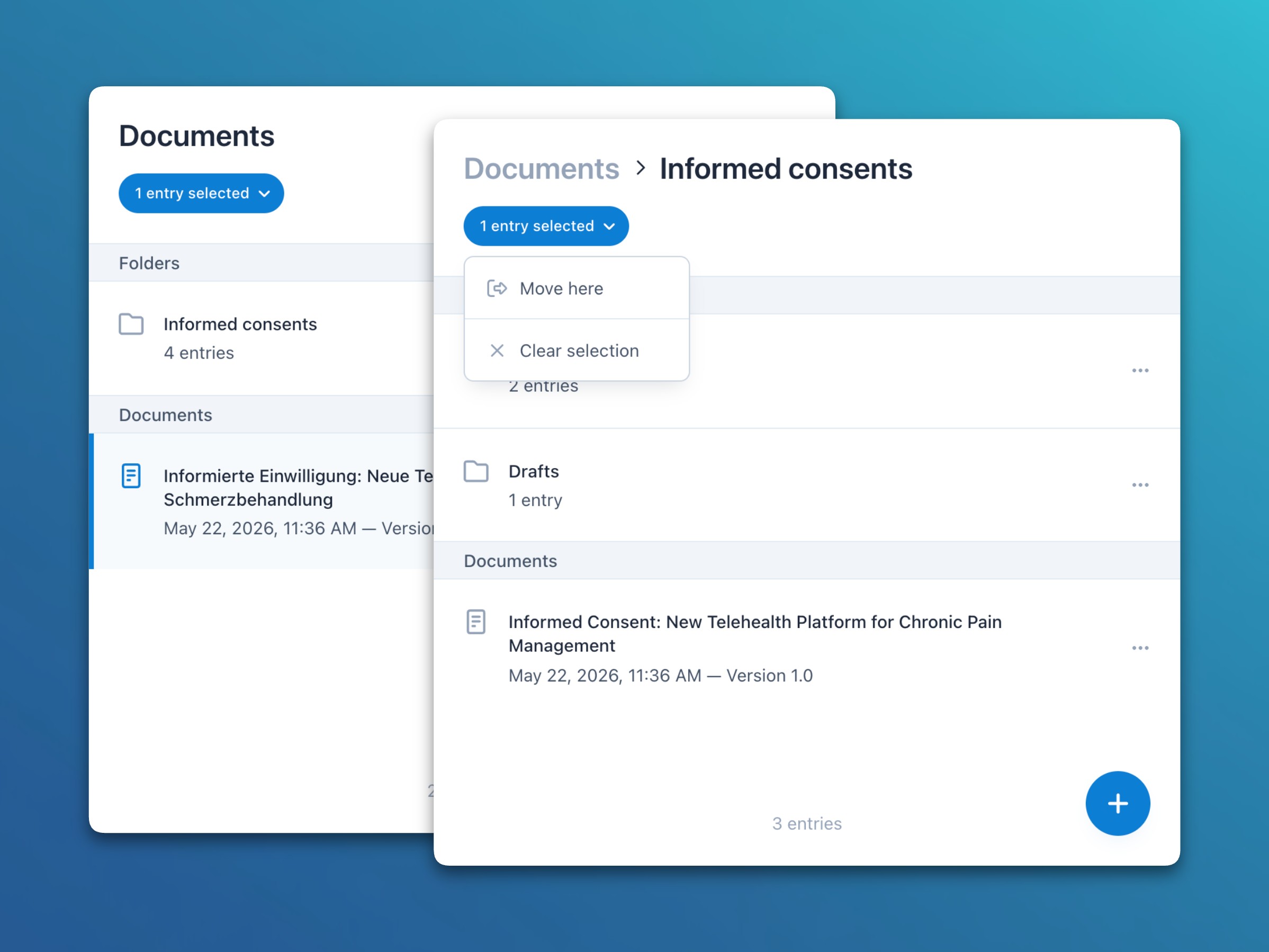
- Documents: Documents can now be organized in nested folders, with the option to select multiple entries and move them between folders.
Bug fixes
- Notifications: Fixed a configuration-specific issue where a notification could still be sent for an event after the participant had already completed it.
- Notifications: Fixed a configuration-specific issue where for repeating events only the notification of the first repeat instance was delivered.
- Users: Fixed an issue where study participants whose subject entry had been deleted could appear in the team member list.
- Forms: Fixed an issue where editing a field inside a shallow-copied section could update the field in the original section instead of the copy.
- Forms: Fixed an issue where the autocomplete dropdown in the expression editor (for conditions and calculations) did not suggest fields added in the current form draft, but only those from the initial draft or most recent version.
- Release Impact Statement →
Improvements
- Forms: The form element details slideover can now be opened in read-only mode when the form is versioned and no longer editable.
- Forms: Added the option to upgrade existing subject form data from an outdated version to the latest form version.
- Users: Added the option to resend the invitation email to a user, which also completes any incomplete account setup.
Bug fixes
- eConsent: Fixed an issue where clearing a newly drawn signature did not fully reset the field, causing an empty signature to be submitted on save.
- eConsent: Fixed an issue where form submission could fail when the form already contained a signature from another user.
- Users: Fixed an issue where newly invited users could fail to be properly initialized and therefore not receive their invitation email.
- Release Impact Statement →
Improvements
- Subjects: Added the option to send direct messages to study participants from the subjects module, requiring only the new, less privileged Create local channels or Create global channels permission instead of the previously required, more sensitive View study participants or Manage study participants permission.
- Notifications: Schedule reached notifications, sent when a scheduled event begins, can now be triggered immediately and at multiple additional offsets rather than only once at event start.
- Notifications: Beyond the predefined offsets, custom day and minute values can now also be entered manually for all three scheduled event notification variants (Schedule reached, Announcement, and Reminder).
- eConsent: Added the option to reset a withdrawn informed consent signature from the patient or investigator if a new signature needs to be captured.
- Release Impact Statement →
Features
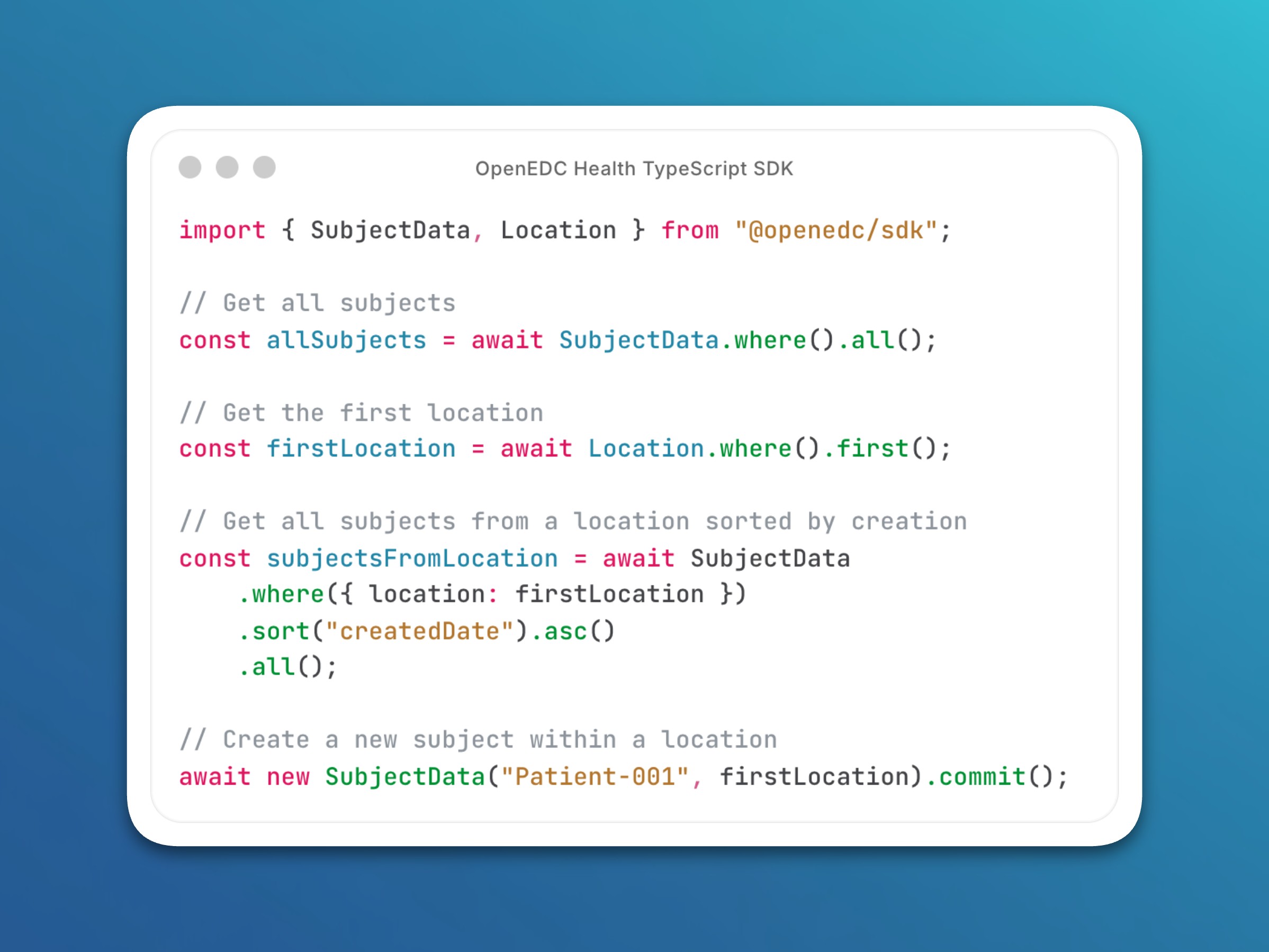
- General: Confimedis Platform SDK
- The official TypeScript SDK for the Confimedis Platform is now available on npm.
- It allows you to integrate our platform into your web or mobile application, reporting pipeline, or any server-side automation or custom tooling built around your study.
- Fully typed end-to-end, it runs on any modern JavaScript runtime and gives you a clean, expressive API to work with all aspects of a clinical study:
- Data access: Query study metadata, clinical data, administrative data, and more, with flexible filtering, sorting, and cross-project support
- Data editing: Create or modify study data reliably with a single commit call, with all changes automatically recorded in the audit trail
- Audit trail: Query the complete history of all study data changes, supporting data integrity and GCP compliance
- Live updates: Subscribe to real-time changes via live queries that automatically reflect updates as they happen
- File management: Upload and download files securely with resumable transfers, supporting files up to 5 GB
- General: Confimedis Platform SDK
- Release Impact Statement →
Improvements
- Subjects: Invalid soft range checks are now highlighted when opening a form and rendered in yellow to stand out as warnings. Moreover, newly created range checks are now hard by default, with the option to mark them as soft when needed.
- Subjects: Support custom validation rules (including comparative expressions) for items with codelists (i.e., predefined field choices).
Bug fixes
- Subjects: Fixed an issue where validation rules with comparative expressions were always handled as hard checks, even when configured as soft checks.
- Users: Updated two overly restrictive Row Level Security (RLS) policies that prevented users who are not project owners from configuring notification timings and versioning documents.
- Release Impact Statement →
Features
- Notifications: Notification timings
- Automated email, SMS, and push notifications for scheduled events now support two new variants: Announcements (days before the time window starts) and Reminders (days before the time window ends).
- Besides study participants, these new notifications can now also be configured for team members, so they always know which participants have upcoming visits, even without opening the calendar.
- Additionally, for events without enabled ePRO links or authorized forms, study participants can still receive information-only reminders for non-remote, in-person visits.
- For multi-day events, an optional local time can be configured at which the notification is sent. If left empty, the notification is sent immediately as soon as the event falls within the current scheduling window (e.g., right after a participant self-registration).
In total, there are now 8 notification variants for scheduled events:
Type Study participants Team members Schedule reached
(at time window start)- With action (answer form) or
- Information-only (without ePRO)- With action (view subject) Announcement
(days / minutes before start)- Information-only - With action (view subject) Reminder
(days / minutes before end)- With action (answer form) or
- Information-only (without ePRO)- With action (view subject) 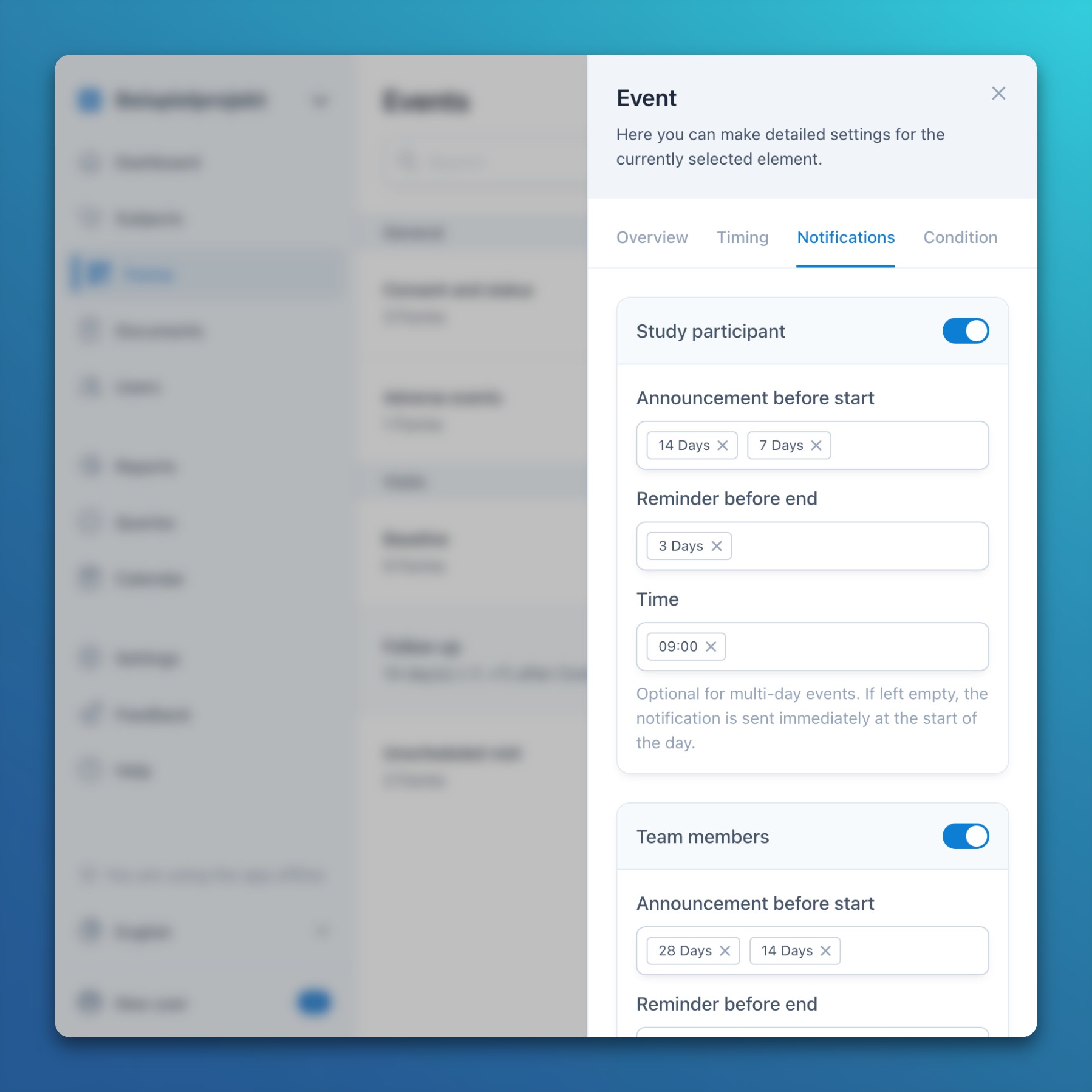
Improvements
- Randomization: Added a setting option to automatically randomize subjects upon creation or when required stratification variables become available.
Bug fixes
- General: Fixed an issue in Firefox where navigating the calendar could unexpectedly jump to a different year.
- Notifications: Notification timings
- Release Impact Statement →
Features
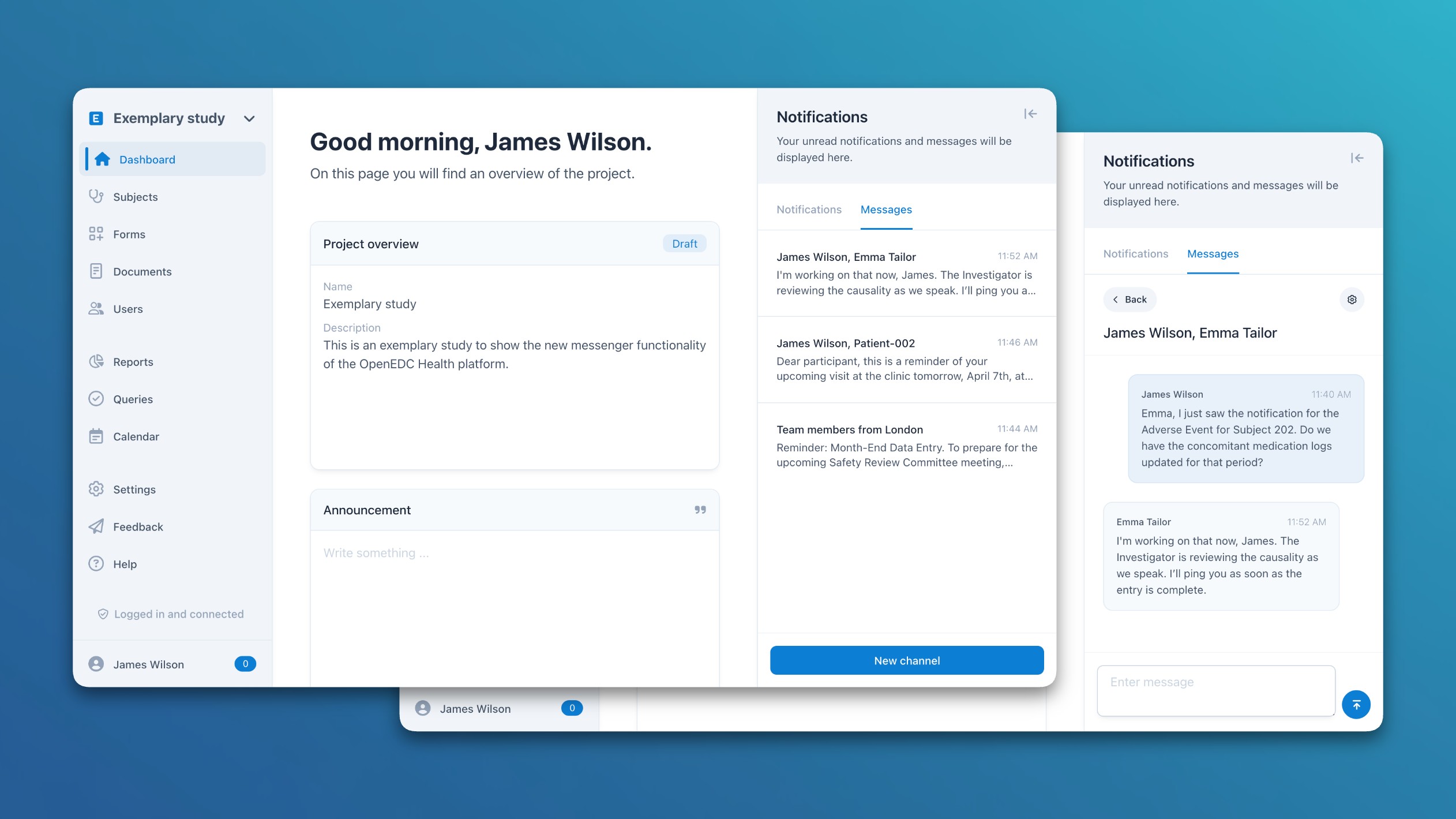
- General: Integrated messenger
- The Confimedis Platform now includes an integrated messenger for one-to-one and group conversations, accessible via the notification slideover.
- Each channel can be shared with team members, study participants, or both, and optionally scoped to specific locations or individual users.
- A direct conversation with a colleague or study participant can also be started from their user profile.
- Users receive in-app notifications for incoming messages and can opt into email notifications for messages that remain unread. Unread channels are highlighted in the channel list and on the dashboard.
- Channel owners can add collaborators to co-manage a channel, for example to invite further users or adjust channel settings.
- A new Create channels permission controls who can create new channels.
Bug fixes
- Administration: Fixed the administration user and project lists sharing their search and filter state, which could result in projects not being visible when switching tabs.
- General: Integrated messenger
- Release Impact Statement →
Improvements
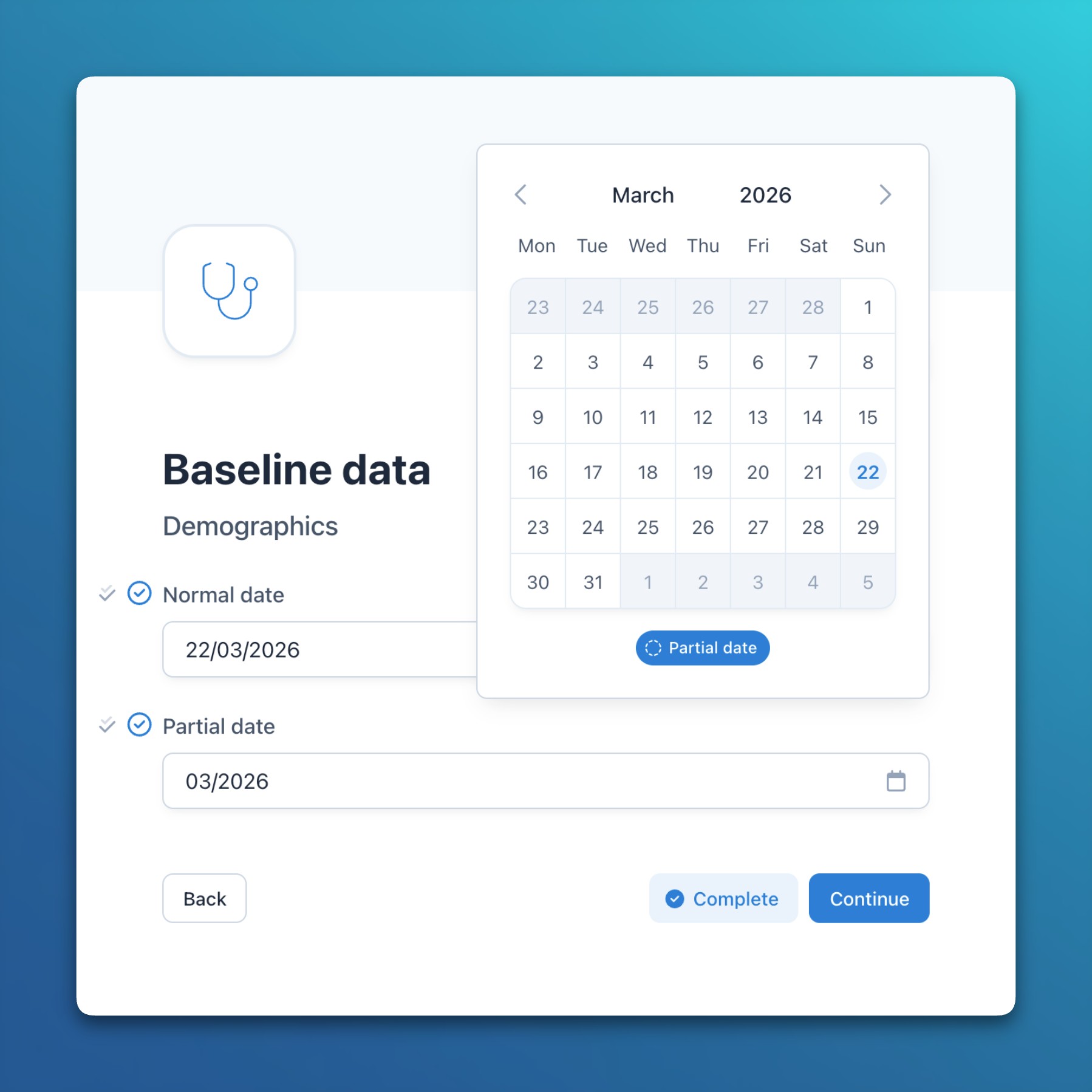
- Subjects: Added support for manual entry and data import of partial dates.
- Subjects: Coded values are now auto-incremented when codelist items are entered without a prefix in the choices slideover.
- Documents: Images can now be pasted from the clipboard in the document editor and descriptive texts.
Bug fixes
- General: Fixed an issue where region-aware locales did not properly handle translation overwrites used for language names and email templates.
- Export: Fixed an issue where the CSV export delimiter was not correctly determined for non-European locales that use a comma as decimal separator.
- Export: Fixed an issue where the CSV export only included the first item of Likert-scale fields instead of all items.
- Release Impact Statement →
Improvements
- Surveys: Surveys now support location-scoped public links and QR codes that automatically assign new participants to a predefined location.
- Import: The CDISC ODM-XML importer can now also be used via the API with a custom API key.
- Export: Added a SAS exporter that produces a ready-to-run SAS import script alongside the CSV data, including variable metadata and codelist-based value labels.
- Users: Access to study participant accounts and email addresses in the users module is now restricted to users with the View study participants or Manage study participants permission.
- Users: The minimum required password length has been increased from 8 to 12 characters.
- Subjects: Added a partial date type that allows entering either a full date or just the month and year when the exact day is unknown.
- Subjects: Added an option to change a specific language of an existing form, which also updates all sections and items in that language accordingly.
- General: The system now supports region-aware locales (starting with UK English), which also affects the input and display of date formats.
Bug fixes
- Participant: Fixed an issue where participants were unable to decrypt their own end-to-end encrypted data.
- Release Impact Statement →
Improvements
- Users: Administrative users can now create their own API keys in the account settings to be used for automated data imports and exports.
- Participant: For study participants, the unique subject key is now rendered as the username in the application menu slideover.
- Subjects: Added options to configure custom anchor labels and enable tick marks for the range slider field.
- Surveys: Added the option to specify a custom primary color for surveys and ePRO links.
- Surveys: File uploads are now supported in surveys and ePRO links.
Bug fixes
- Surveys: Fixed an issue where resuming a survey would jump to the last unanswered page instead of the first one when pages were missed in between.
- Notifications: Fixed notifications not being sent for overlapping scheduled events when a preceding entry was not enabled for the participant.
- Release Impact Statement →
Improvements
- eConsent: Study participants can now download signed eConsent documents in PDF format from surveys and the mobile application immediately after completion.
- eConsent: Withdrawn consent signatures are now visually highlighted with an exclamation mark icon for better clarity.
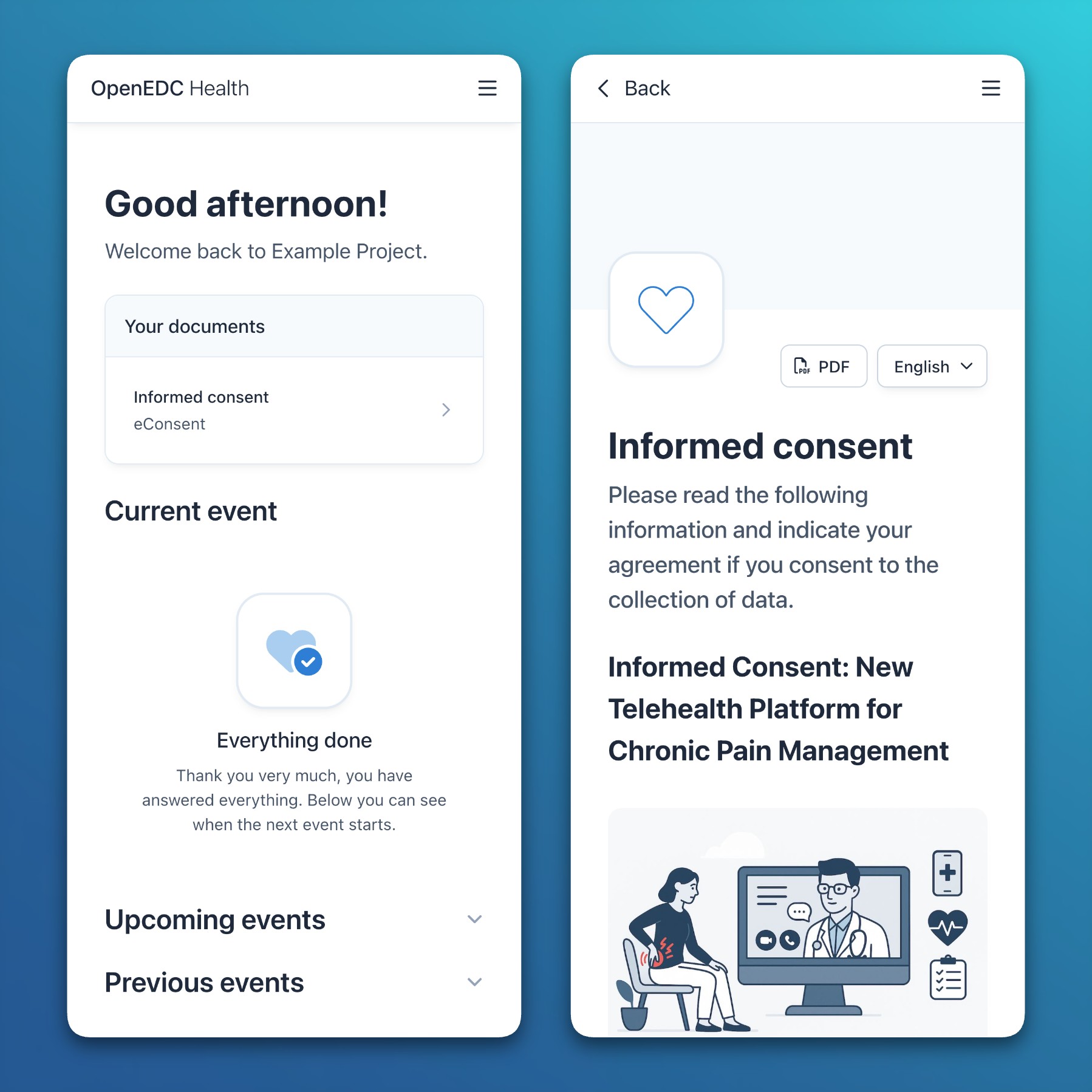
- Participant: Important documents (e.g., eConsent or information material) are now displayed and accessible at the top of the mobile participant application.
- Surveys: Survey settings now include a section with defaults that are automatically applied to new survey links and QR codes, starting with the option to show existing data.
Bug fixes
- Subjects: Fixed users being unexpectedly logged out due to session timeout or inactivity when uploading large files that took more than 10 minutes.
- Subjects: Fixed file names not being persisted correctly when resuming a previously canceled large file upload.
- Users: Fixed the permission to view published documents not being available for the study participant role.
- Participant: Fixed mandatory fields not being validated during participant data entry, allowing them to be submitted empty.
- Release Impact Statement →
Improvements
- Settings: Added an option to automatically version all forms when moving a project to production.
- Documents: Added the option to export and print help documents in PDF format.
Bug fixes
- Forms: Fixed form status not being linked to the initial form draft, which could lead to incorrect version assignments after publishing.
- Forms: Fixed the audit trail to display translated values based on the form version that was active at the time of data entry.
- Release Impact Statement →
Improvements
- Administration: Added Single Sign-On (SSO) support via Keycloak using OpenID Connect (OIDC) for enterprise Confimedis instances.
- Administration: Added the option to configure custom large language models (LLMs) for the assistant within enterprise Confimedis instances.
- General: Improved reliability of real-time connections via WebSockets, including an error indication and message for detected connection issues.
- General: Improved user interface consistency for footer elements across the application, while also showing more notifications on successful saves.
- Forms: In addition to the current event (and event instance), conditions and calculations can now also use the current form (and form instance) as dynamic variables.
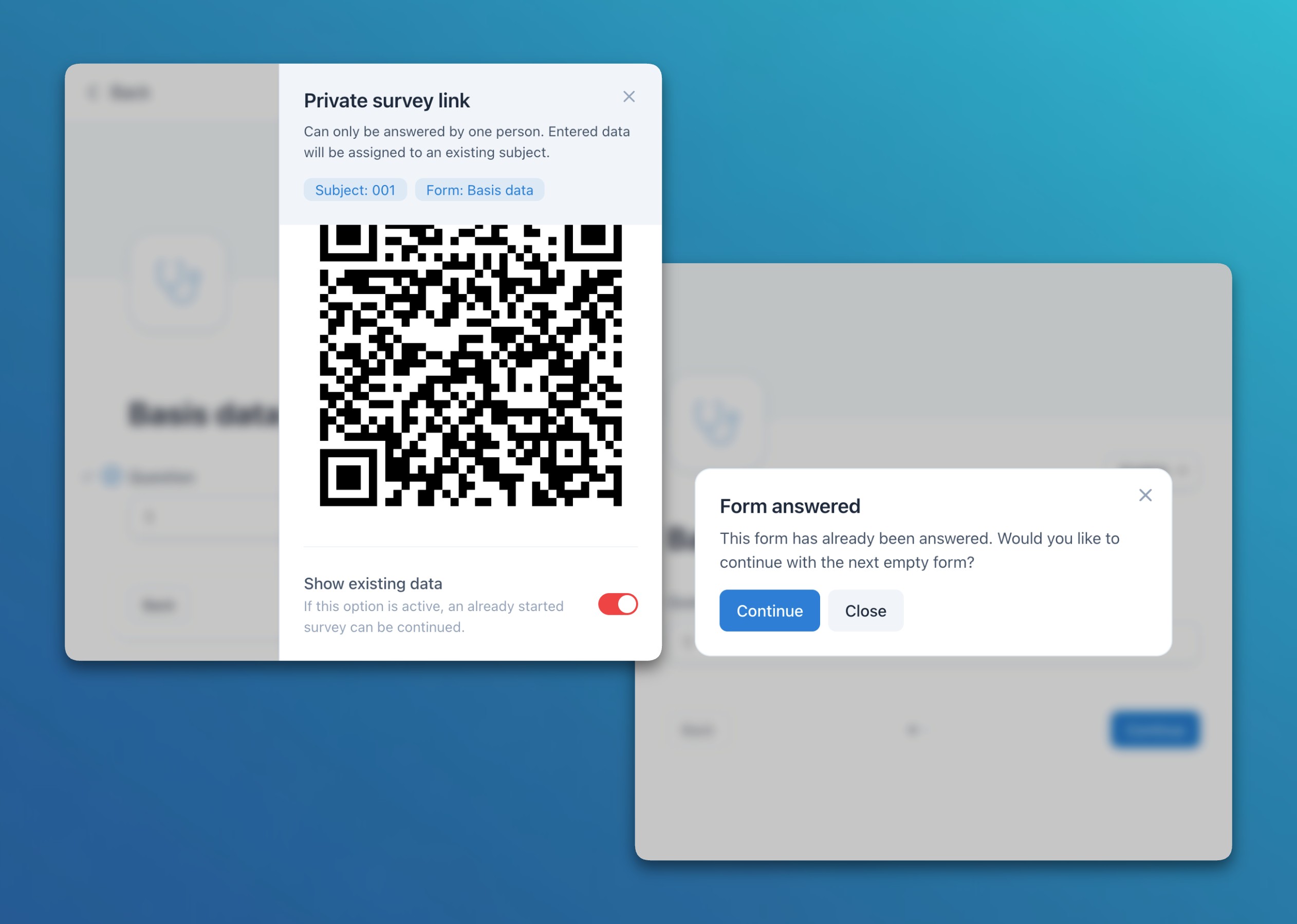
- Surveys: Added an option to show existing form data in individual subject-specific surveys / ePRO links. This is particularly helpful to allow participants to continue an incomplete survey. When opening an answered form, the system also asks if the user wants to go to the first unanswered form.
- Surveys: The audit trail now records survey / ePRO link sessions, which allows tracking how often a link or QR code was opened and completed.
- Subjects: When a repeating limit is set for events or forms, the subject list and table now display all available instances up to that limit.
- Documents: Added a new link function to expressions, allowing dynamic clickable links to be created and rendered in documents and descriptive texts.
Bug fixes
- Subjects: Solved an issue where, when both soft and hard validation checks were set for the same item, the soft check could overwrite the hard check depending on their creation order.
- Release Impact Statement →
Features
- Notifications: Automated ePRO invitations via email and SMS
- In addition to push notifications, it’s now possible to configure automated email and SMS messages with embedded ePRO links to study participants according to the defined visit schedule.
- This provides an efficient and accessible alternative to the mobile Confimedis app and doesn’t require anonymous registrations or app installations.
- SMS messages can be sent internationally and consider site-specific time zones when configured.
- All three notification methods (push, email, and SMS) can be combined, allowing the system to use every available channel to reach study participants.
Improvements
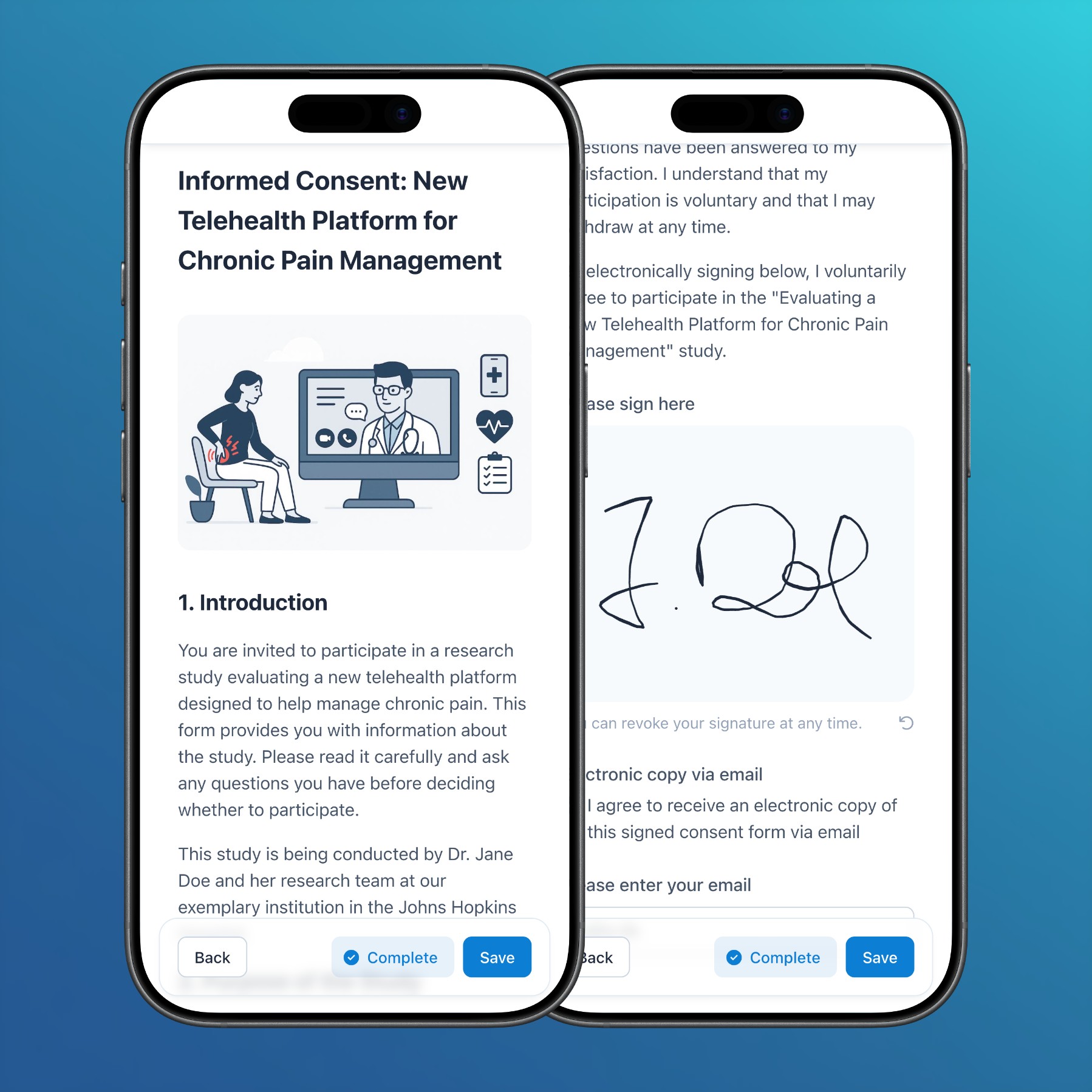
- Subjects: In addition to the web app and participant app, handwritten signatures can now also be captured in surveys and via ePRO links.
- Subjects: In PDF exports of forms without clinical data, informed consent fields are now rendered with a gray border to highlight the signature area.
- Reports: In addition to the audit trail within the subjects module, the general audit trail report now also renders change reasons.
- Documents: Besides uploading images, links to images can now be pasted directly into documents to embed them inline.
Bug fixes
- Subjects: Solved an issue that sometimes resulted in change reasons not being rendered correctly in the audit trail.
- Notifications: Automated ePRO invitations via email and SMS
- Release Impact Statement →
Features
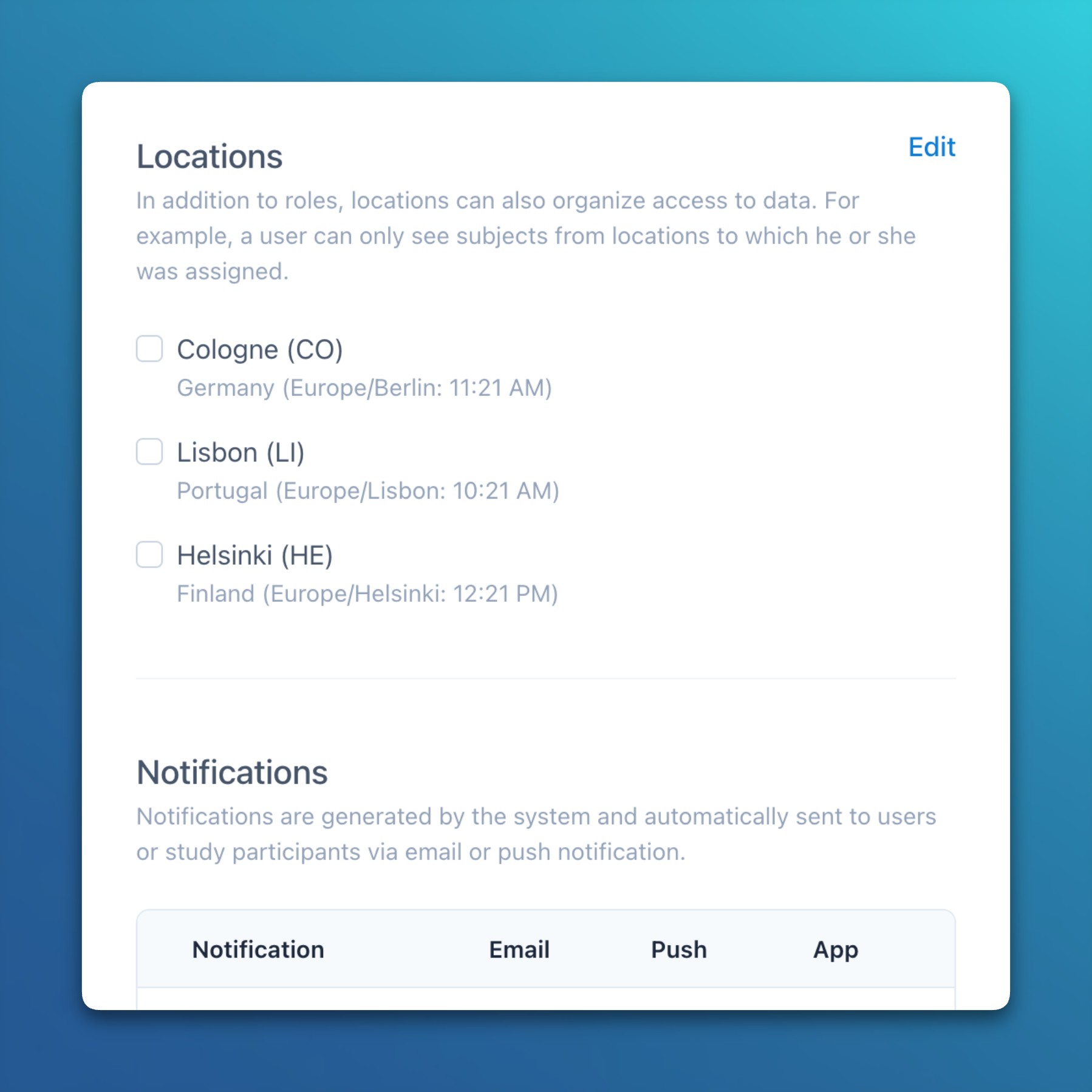
- Settings: Study and site-specific time zones
- A study-based time zone can now be defined at the project level, and it’s also possible to specify a time zone per site when sites are geographically dispersed.
- Site-specific time zones function as an override, ensuring that sites without a time zone automatically use the one defined at the project level.
- Time zones are primarily used to calculate visit schedules and automatically send push notifications to participants based on their local date and time.
Improvements
- General: Added additional data modification confirmation prompts (e.g., when creating form or document drafts) and success notifications (e.g., after changing the project status) throughout the application.
- Subjects: For each event, a reference date can now be defined, which is used in visit schedules instead of the event answer date.
- Subjects: Fields in a data matrix now display their value as a tooltip, which is especially useful for disabled inputs where long values may be truncated and not fully visible.
Bug fixes
- Subjects: Solved an issue that caused the data matrix instance buttons to remain visible when the form was disabled.
- Subjects: Solved an issue where the data matrix validated inputs after each typed character, which could result in negative number signs being initially removed when followed by a zero.
- Settings: Study and site-specific time zones
- Release Impact Statement →
Improvements
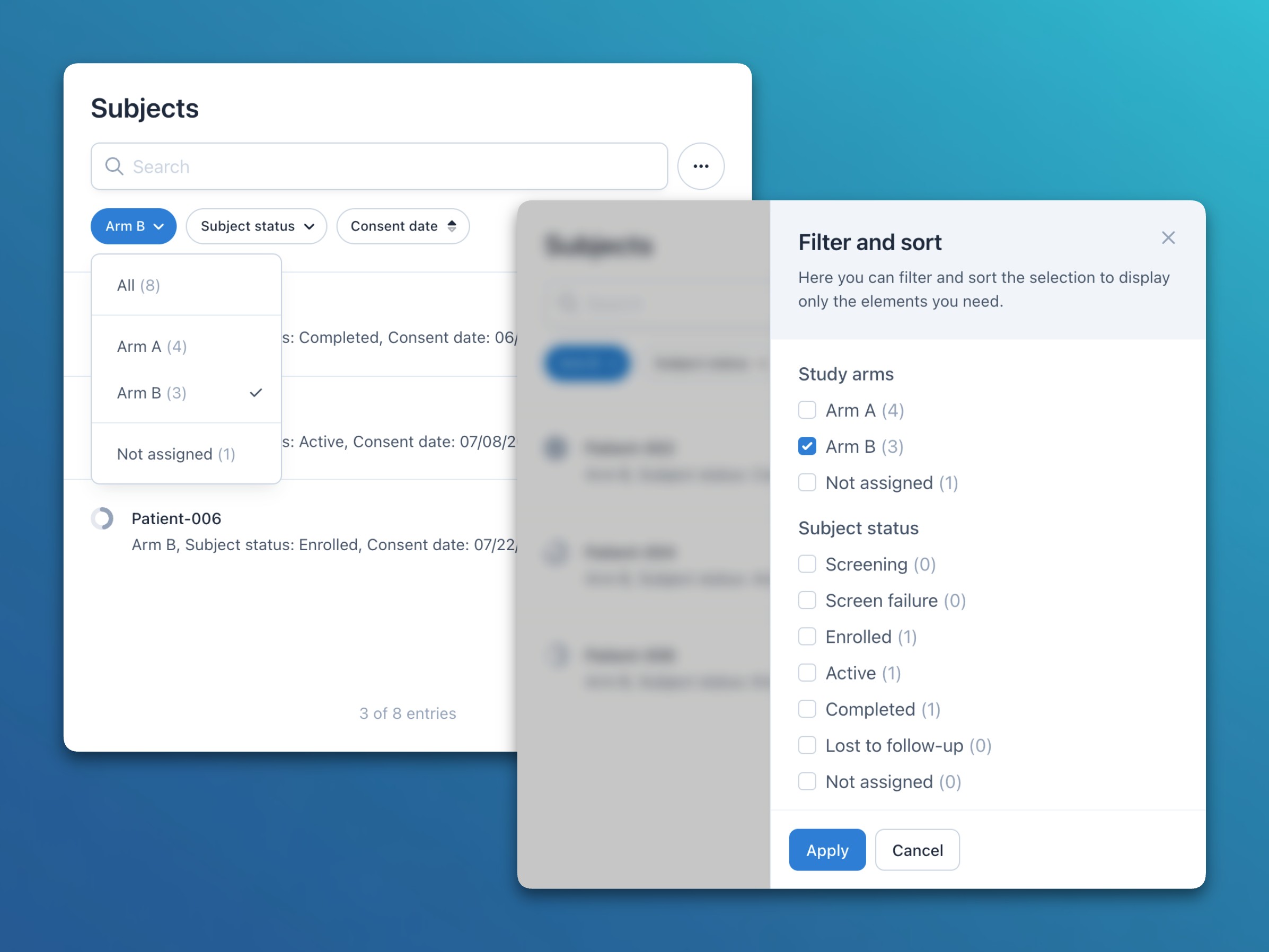
- General: For all list filters (e.g., study arms, subject status, or custom fields), the number of elements in each filter group is now displayed in parentheses after the group name.
- General: List filters now also include a Not assigned option to find elements that are not assigned to any of the available groups (e.g., subjects without a study arm or status value).
- Subjects: In unversioned (i.e., draft) forms, single choice fields can now be transformed to multiple choice fields, while automatically migrating potentially existing data.
- Subjects: Study events that are shared across multiple arms (e.g., when different arms have the same visits) are now only displayed once throughout the application.
- Subjects: In addition to the list view, assigned study arms are now also displayed in the subject table while form status icons of unassigned arms are omitted.
- Subjects: When shallow copying a section, the conditions, calculations, and measurement units of contained items are now also copied.
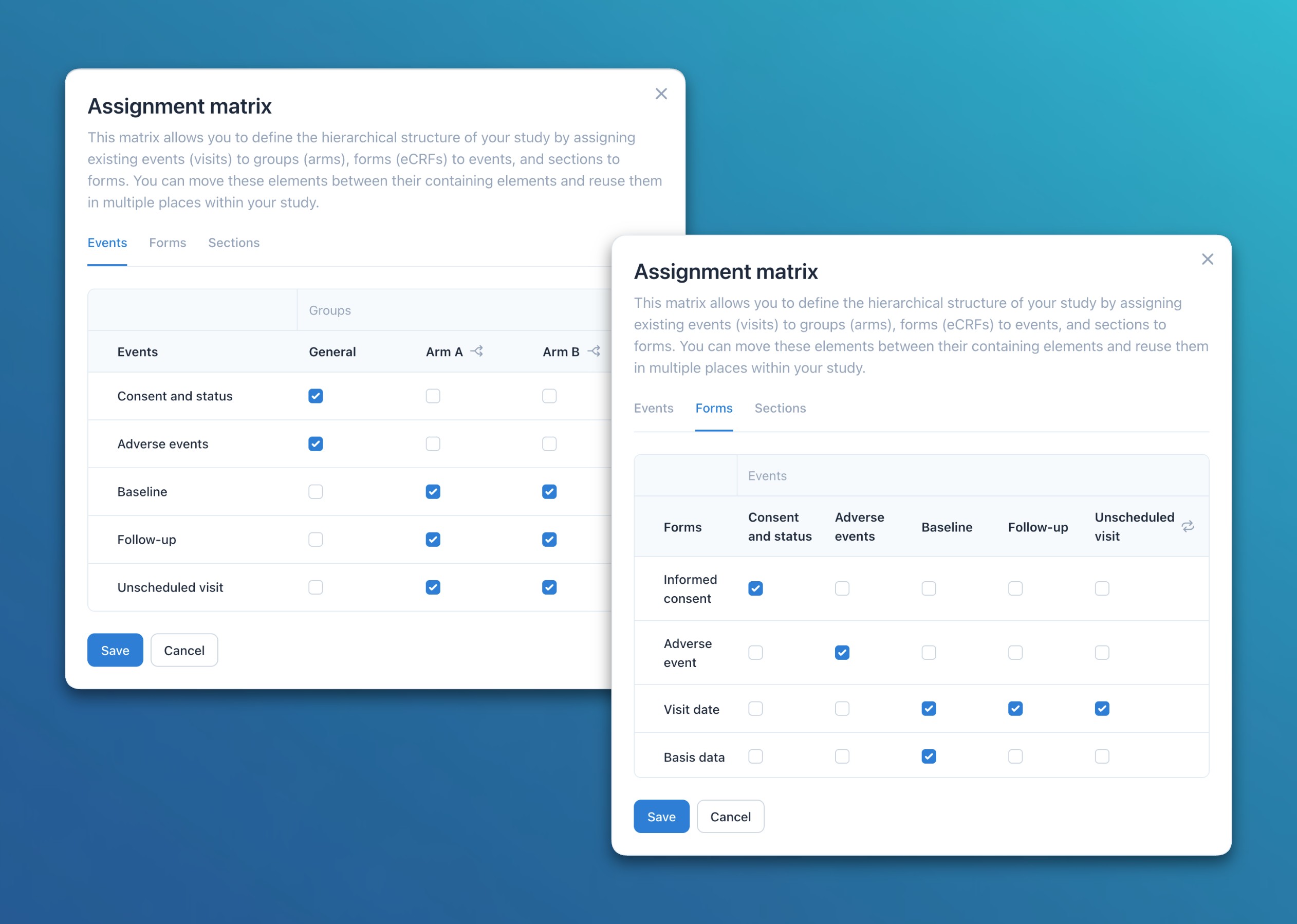
- Subjects: Users can now define relationships at three levels with the assignment matrix: Sections to Forms, Forms to Visits, and Visits to Arms. This enables flexible composition and efficient reuse of metadata elements throughout the study.
- Subjects: In addition to repeating event instances, it’s now also possible to send a survey link or QR code for a specific repeating form instance.
- Subjects: For non-repeating data matrices with statically defined rows, it’s now possible to transpose individual rows to normal form sections.
- Subjects: For comprehensive data matrices and Likert scales, the table header now stays at the top while scrolling to remain visible during data entry.
Bug fixes
- Subjects: Solved an issue that resulted in section instances being sorted alphabetically instead of numerically.
- Release Impact Statement →
Features
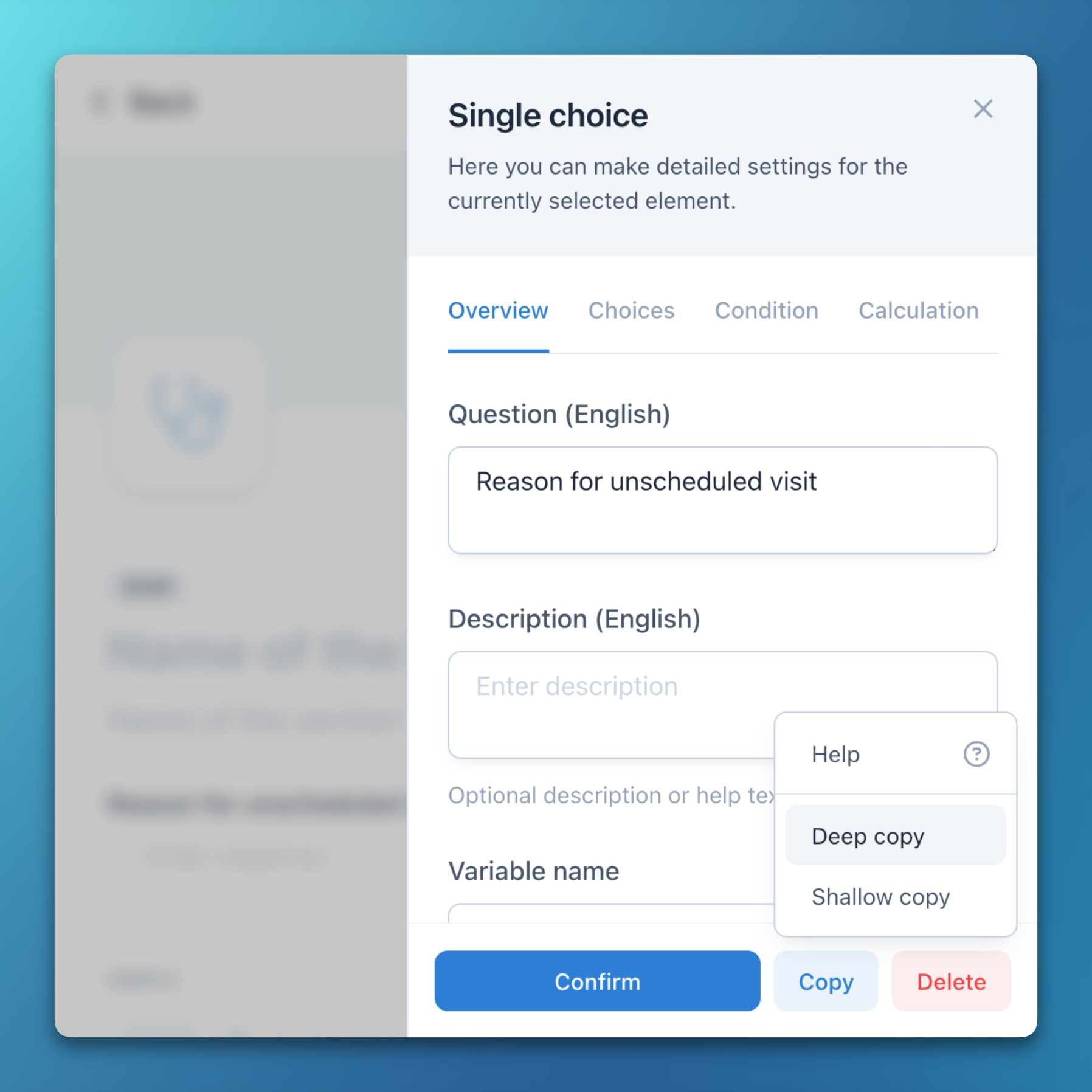
- Forms: Copy metadata elements
- Study event groups (e.g., arms), events (e.g., visits), forms, sections, item groups (e.g., Likert scales), and items can now be copied using two different methods:
- Deep copy: The entire element and all contained elements (questions, choices, etc.) are fully copied. Everything can then be edited without affecting the original element.
- Shallow copy: Contained elements (questions, choices, etc.) are referenced instead of copied. These therefore automatically adopt subsequent changes or corrections to the original element.
- This feature is particularly useful for creating data matrices, reusing existing forms with minor adaptations, or duplicating study arms.
- Study event groups (e.g., arms), events (e.g., visits), forms, sections, item groups (e.g., Likert scales), and items can now be copied using two different methods:
Improvements
- Subjects: The metadata element slideover now includes a dedicated Confirm button. Even though changes are saved automatically by default, this improves interface consistency and also hides the slideover on click.
- Subjects: After adding a new field, the form editor now automatically scrolls it into view.
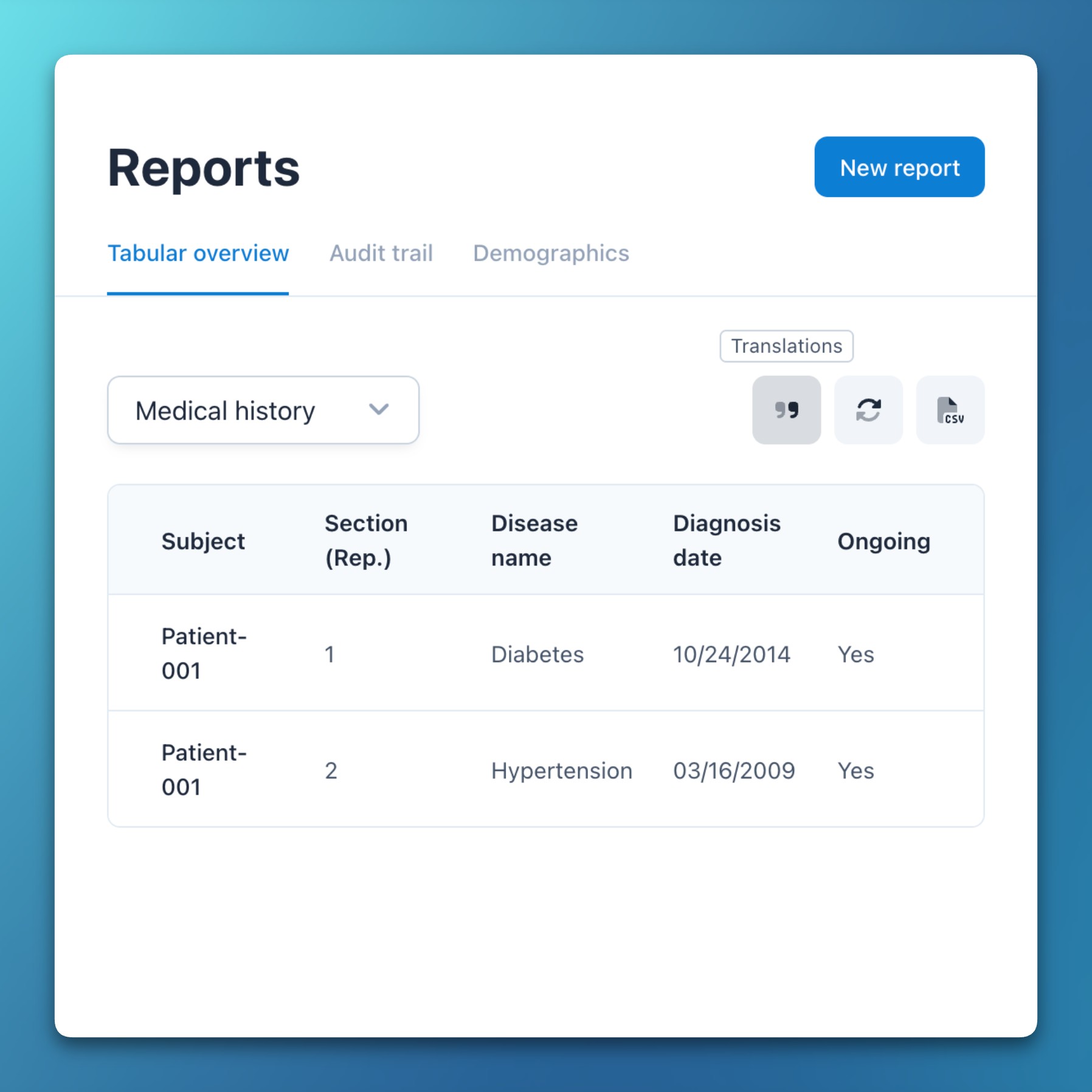
- Reports: The Tabular overview default report now displays a subject’s location, creation date, form completion status, and answer date.
- Forms: Copy metadata elements
2025
- Release Impact Statement →
Features
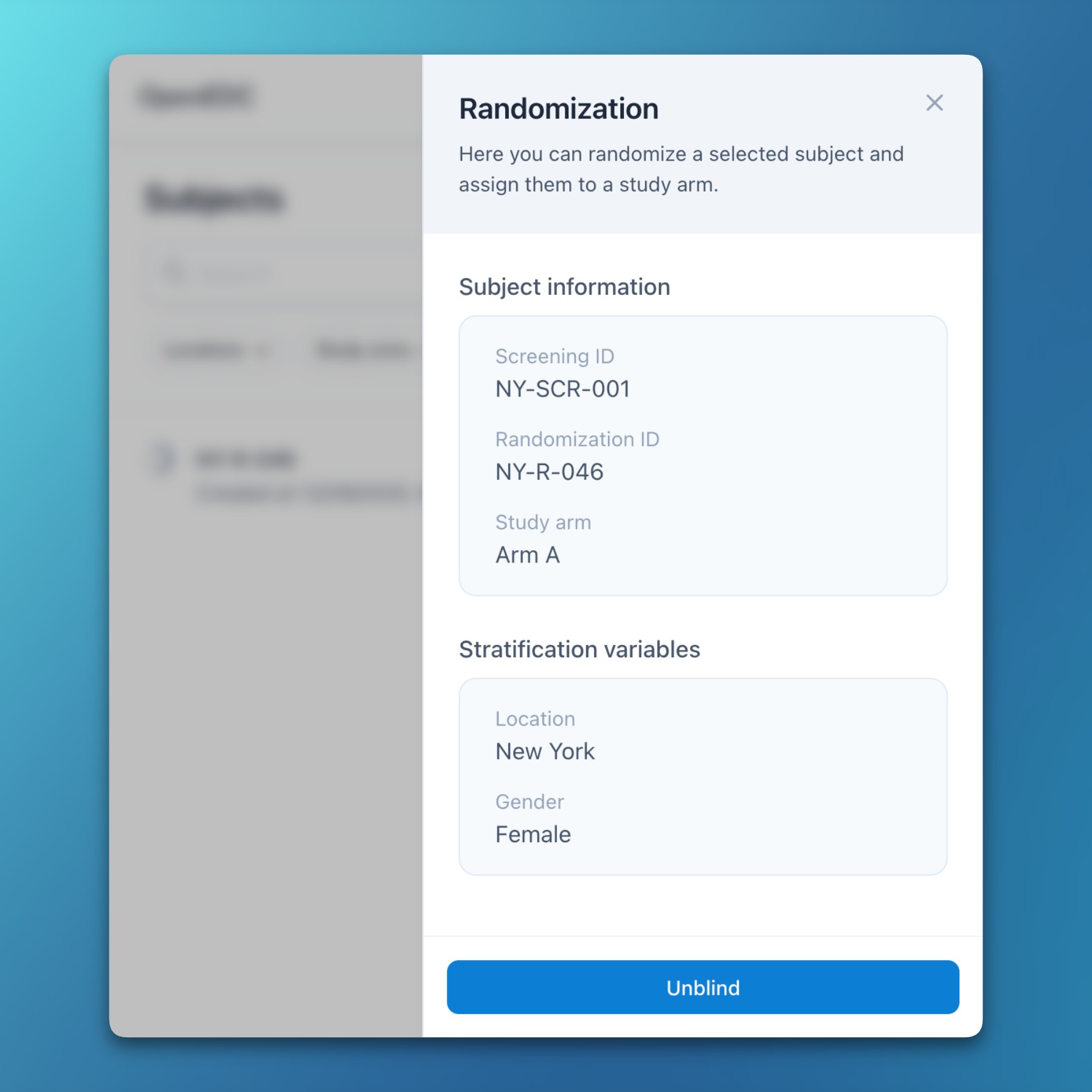
- Randomization: Randomization module
- Confimedis now includes an integrated randomization module with support for variable block sizes and stratification parameters.
- Enabling randomization is a guided four-step process: configuration, preview, review, and confirmation.
- Four additional permissions enable fine-grained control over configuration, review, randomization, and unblinding.
- Atomic database transactions ensure data integrity even when multiple users randomize subjects at the same time.
- After randomizing a subject, the screening ID remains visible in a dedicated information panel when needed.
- All randomization activities and configuration updates are logged in the audit trail.
- Settings: Subject key options
- To support flexible screening and randomization IDs, five new subject key options have been introduced:
- Minimum length: Ensures that subject keys are padded with zeros to a specified length (e.g., 001).
- Randomization/manual prefix: Adds a prefix before the randomized or manually entered key (e.g., R-001).
- Screening/auto-increment prefix: Adds a prefix before the screening or auto-incremented key (e.g., S-001).
- Location ID prefix: Adds the location ID before the key (e.g., NY-R-001 or NY-S-001).
- Location-scoped uniqueness: Requires subject IDs to be unique only within their location instead of globally across the study (e.g., allowing NY-R-001 and SF-R-001). This also applies to auto-incremented keys.
- These options can also be used for subject key customization without the randomization module.
- To support flexible screening and randomization IDs, five new subject key options have been introduced:
Improvements
- Administration: System administrators can now update their enterprise Confimedis instance semi-automatically via the administration module.
- Administration: System starts and updates are now recorded and visible for administrators in a new system audit log table.
Bug fixes
- Subjects: Solved an issue where auto-incremented subject keys were sometimes not displayed immediately when WebSocket connections were blocked by restrictive firewall settings (e.g., in enterprise environments).
- Randomization: Randomization module
- Release Impact Statement →
Improvements
- Administration: The global user and project management dialogs were combined into one administration module for simplified enterprise management.
Bug fixes
- Subjects: Solved an issue that resulted in the select field not appearing as an item display option when editing a form layout.
- Import: Non-printable control characters are now automatically removed from XML files prior to import.
- Release Impact Statement →
Improvements
- Users: The server email template now includes a one-line summary for invite and password reset emails.
- Documents: Referenced PDF documents in forms, e.g., for informed consents, are now embedded in PDF/A exports.
- General: Unified and extended visual loading indicators across the application, e.g., when creating and updating queries.
- Subjects: Single choice fields now allow answers to be deselected, even when the item is mandatory.
Bug fixes
- Users: Solved a rendering issue that sometimes led to an infinite loading spinner at the top of the user form after inviting a new user to a project.
- Users: Fixed a server-related problem that resulted in system users not being deleted after the last associated project user has been deleted.
- Users: Corrected a permission issue that resulted in an error when trying to import metadata without the Edit project settings permission.
- Release Impact Statement →
We are happy to announce the next major version of our platform: Confimedis 3.0. This update brings Push and Email Notifications, anonymous Patient Registrations via QR codes, and automated ePRO Invitations with support for repeating events and hourly schedules — along with many quality-of-life improvements.

Features
- Notifications: Notification system
- Push, email, and in-app notifications can now be enabled per project to automatically inform users and study participants about important events.
- Initially, four notification types are supported:
- Query assignments: Sent to a user when a new query is assigned or an existing query is reassigned to them.
- Subject creation: Sent to all eligible users when a new subject is created, considering permissions and location assignments.
- Schedule reminders: Sent to study participants when a (virtual) visit is due to be answered based on the event schedule (see below).
- System announcements: Sent manually by us to inform all users about system updates. Can now be disabled.
- The preferred notification methods for each notification type can be configured individually for each user.
- Unread notifications are displayed in the new notifications slideover, accessible from the sidebar and dashboard.
- Surveys: Anonymous registrations
- Study participants or patients can now have anonymous accounts for a study without needing an email address.
- Users can create an authentication QR code for a subject, encoding a One-Time Password (OTP), which can be scanned by the participant to join the study.
- After choosing a password, participants can also install our mobile application on their smartphones or tablets, which allows them to receive push notifications (see above).
- Forms: Repeating limits
- For repeating events, forms, and sections, an instance limit can now be configured.
- This limit is visually rendered in the subject list, and after reaching it, no further repeating instances can be created.
- Additionally, the form status aggregation takes the limit into account, automatically calculating a subject’s or event’s completion progress based on the total number of repeating instances.
- Forms: Repeating visits in event schedules
- It’s now possible to include repeating visits in the event schedule, while also considering the optionally configured instance limit (see above).
- For example, a Follow-up visit starting 4 weeks (+/- 7 days) after the Baseline will repeat every 4 weeks (until the optional limit is reached).
- Each upcoming visit, including the respective time frame and instance (e.g., 3. Follow-up), is rendered in the subject list and calendar.
- Forms: Hourly timing for event schedules
- Event schedules can now be configured at exact points in time, using 15-minute increments.
- For example, a diary can be scheduled to be answered every day at 09:00 in the morning and 18:00 in the evening, for a total of 30 days.
- Subjects: Individual schedule per participant
- Besides a general hourly timing for scheduled events and push notifications, it is also possible to define a custom schedule for each study participant.
- This can be configured either by the study staff or independently by the participant, if enabled.
Improvements
- Users: Modules are now automatically hidden from the sidebar for users without any read or write permission for those modules. To allow for granular control, new permissions have been introduced for the forms, documents, reports, queries, calendar, and settings modules.
- Subjects: The aggregated form status now automatically switches to Complete when all mandatory fields have been answered, regardless of unanswered optional fields.
- Subjects: In surveys, the pagination indicators at the bottom now consider conditional forms, showing only the number of pages that actually need to be answered.
- Subjects: Surveys via URL or QR code (i.e., without the participant app) now also support repeating study events.
Bug fixes
- Forms: Resolved a local state and rendering issue, where deleted metadata elements (like fields or codelist items) were not visually removed when the containing parent element (like the section or item) was shortly created before.
- Notifications: Notification system
- Release Impact Statement →
Features
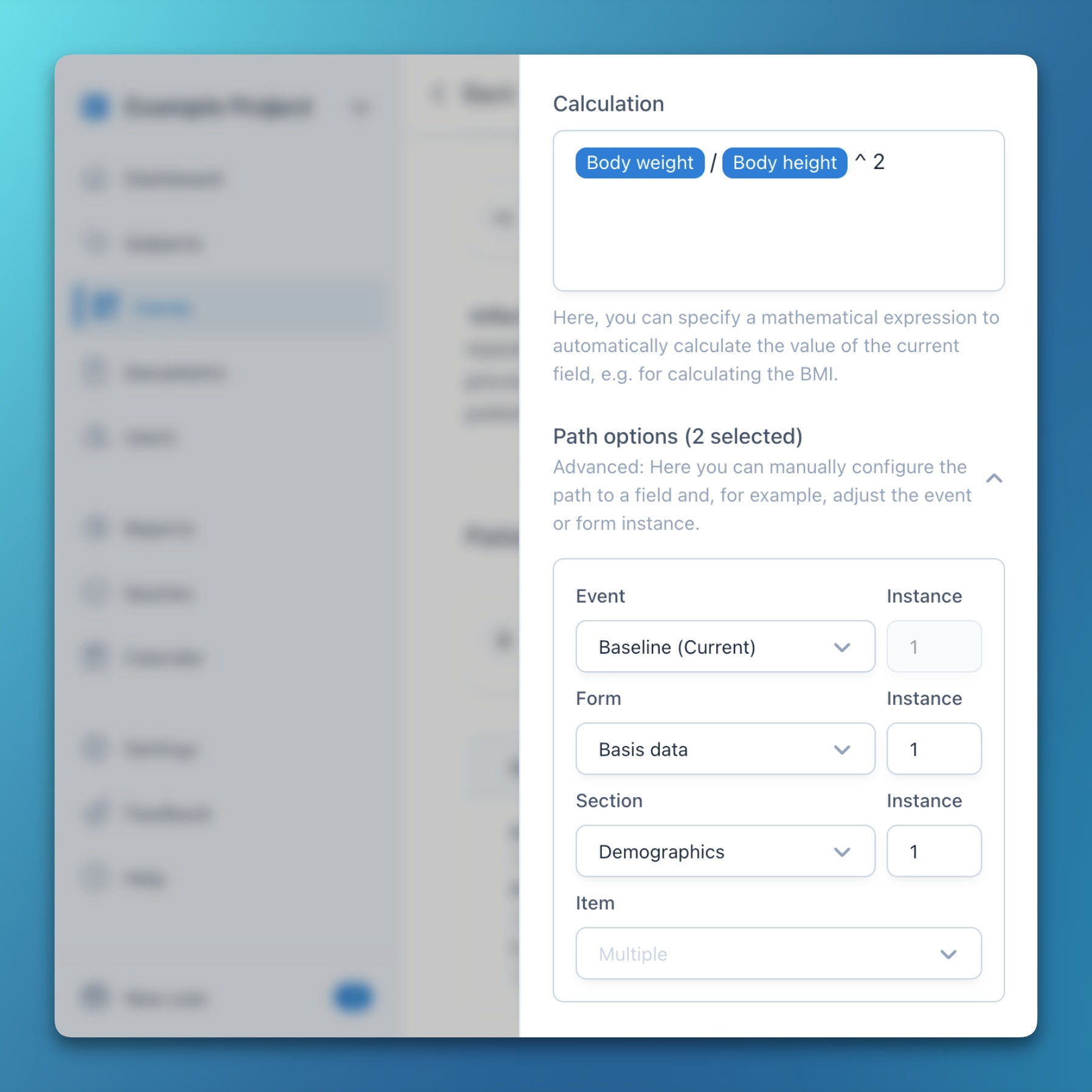
- Forms: Path options in expressions
- This new feature for experienced users allows flexible customization of item paths in expressions (conditions and calculations).
- For each item path, the event, form, section, and item can be manually configured – together with the respective repeating instance.
- Multiple items can be selected with CTRL / CMD + Click, allowing the adjustment of multiple references at once (e.g., to extract all data in a formula from one specific repeat instance).
Improvements
- When exporting PDFs of answered forms, conditionally hidden elements (fields and sections) as well as condition texts of shown elements are now excluded.
Bug fixes
- Solved an issue where calculations in descriptive texts resulting in a numeric zero were not correctly rendered in PDF exports.
- Forms: Path options in expressions
- Release Impact Statement →
Features
- General: Confimedis Assistant (Beta)
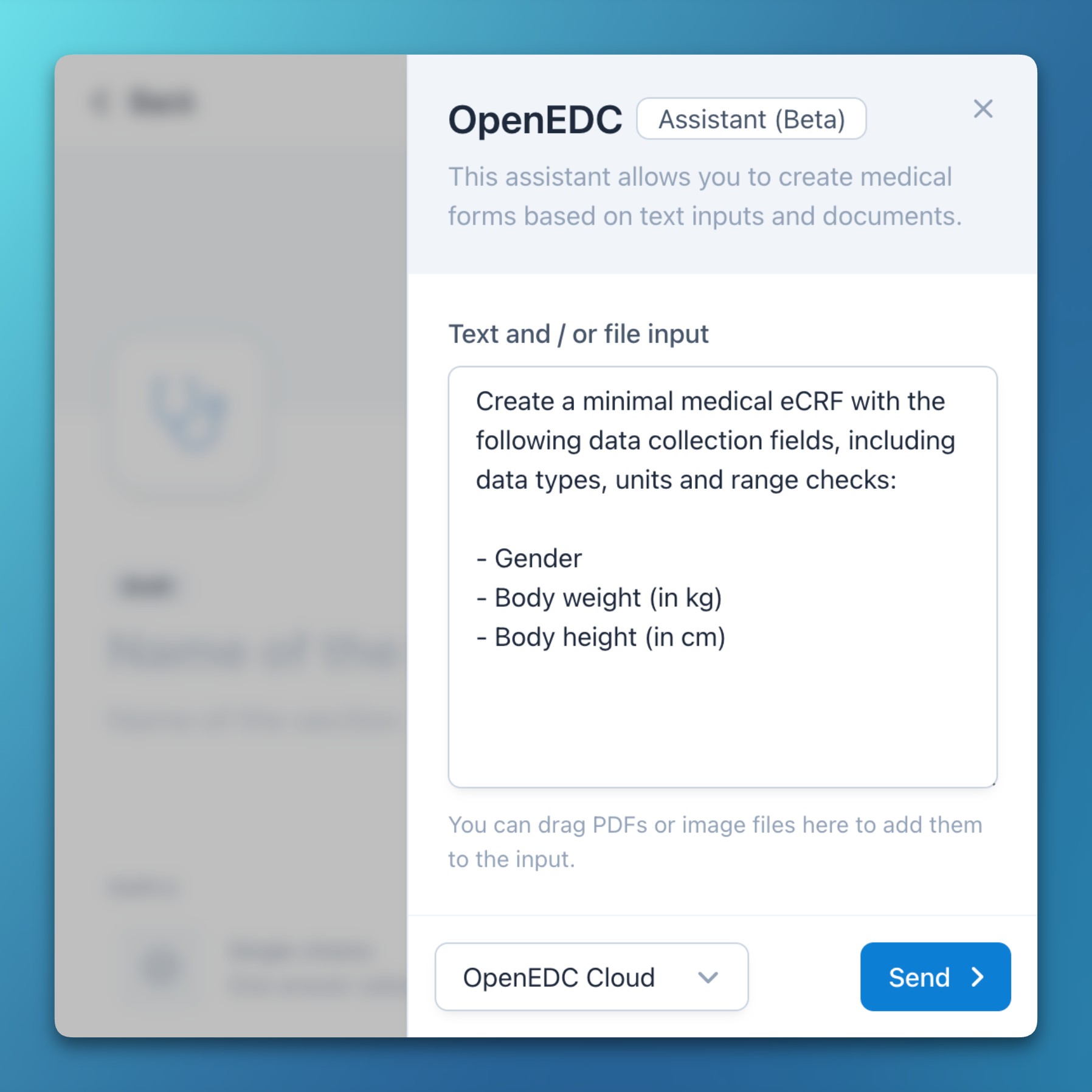
- Today, we are excited to announce and release the first beta of the Confimedis Assistant: A human-in-the-loop and privacy-first AI supporting system that can be used for different purposes across the Confimedis Platform.
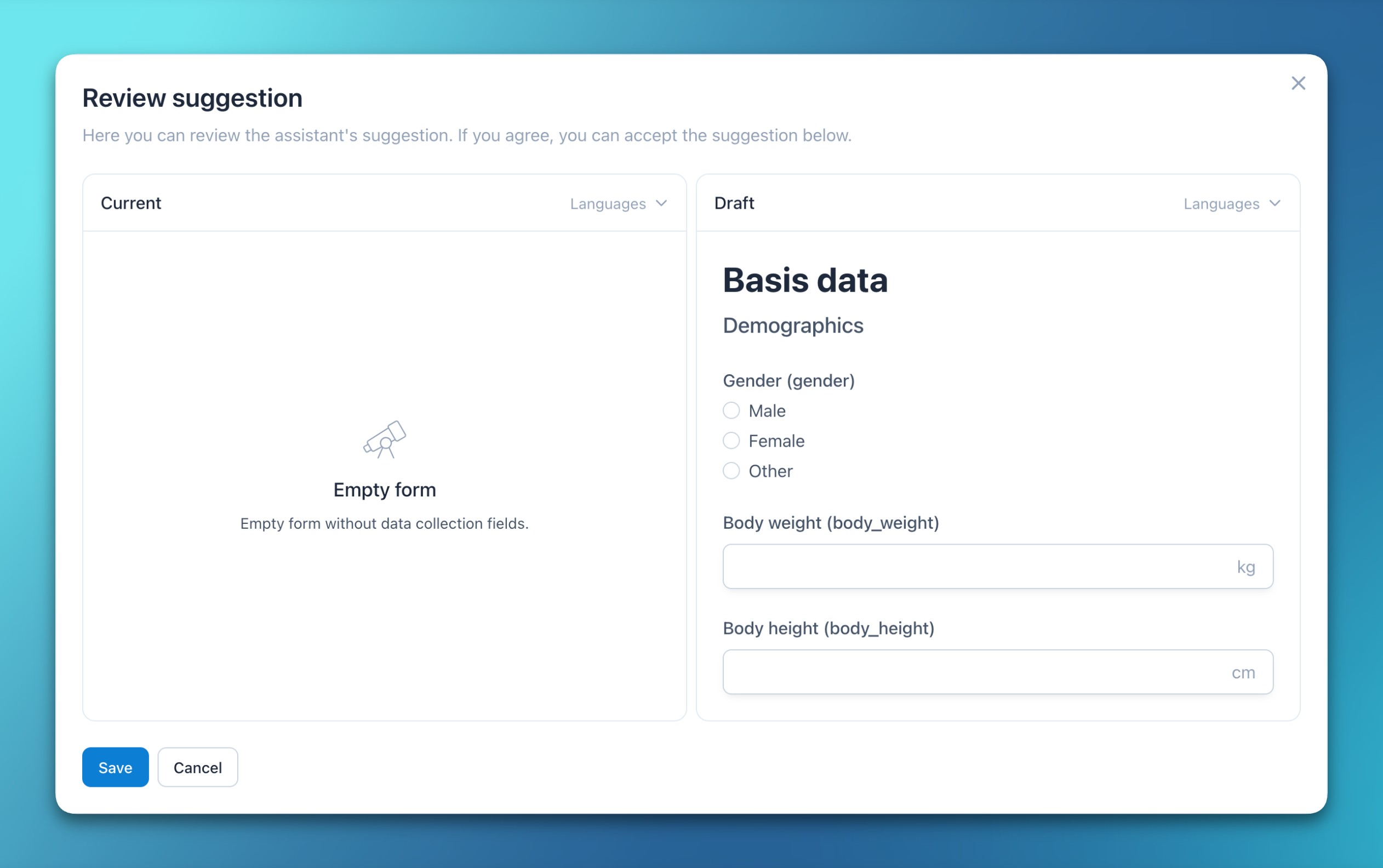
- Every task results in a suggestion which needs to be manually verified and accepted by a human, visually rendered as side-by-side comparison with the current state.
- The assistant can create or edit eCRFs, extract structured medical information, or proofread and translate documents, all based on textual, image, or PDF inputs.
- Our applied AI model is hosted in the Telekom Cloud in Germany. Data is neither used for training, nor logged, analyzed, or stored. Moreover, we provide support for Gemini Nano, a small model that can run entirely offline on modern computers.
- General: Confimedis Assistant (Beta)
- Release Impact Statement →
Improvements
- Improved rendering performance by up to 3 times for very large forms containing a few hundred fields.
Bug fixes
- Solved an issue where entering a missing reason for an already persisted but empty field would not immediately render the missing reason above the field.
- Release Impact Statement →
Features
- Forms: Form and document comparisons
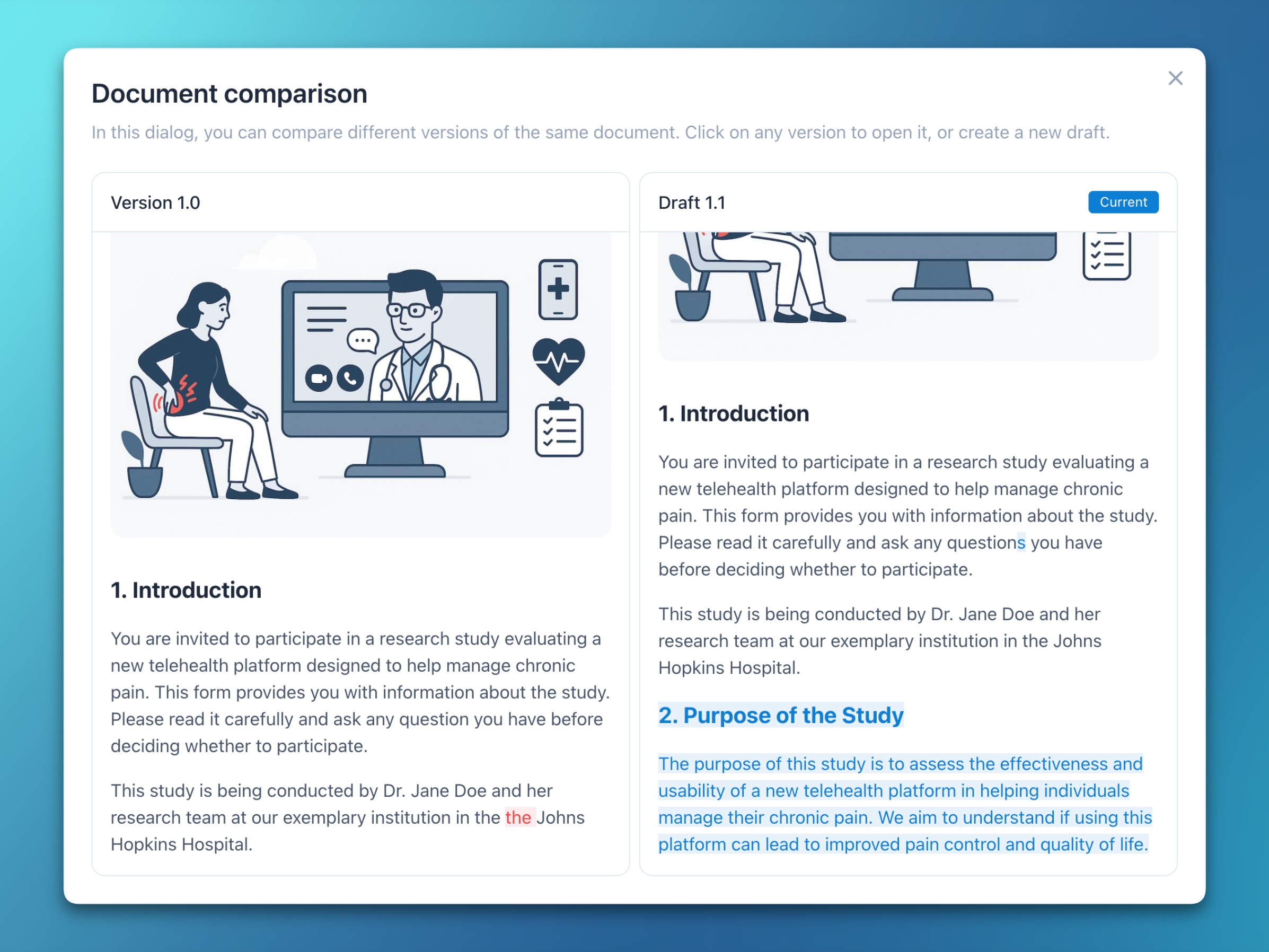
- Clicking a form or document version identifier now opens a side-by-side view that highlights changes between revisions.
- Selecting one specific version opens it in the respective editor for further processing.
- Deleted and added characters are visually highlighted for improved recognizability.
Improvements
- Significantly reduced the initial loading time of projects with comprehensive metadata.
Bug fixes
- Solved an issue where uploaded files were sometimes not correctly rendered within the form viewer.
- Fixed an error where missing reasons and verification states were not unset when an item became conditionally hidden.
- Forms: Form and document comparisons
- Release Impact Statement →
Features
- General: Example project
- The system now comes with a comprehensive, multilingual example project to explore many of its features in a realistic environment.
- We added the following events and visits: Informed consent, Adverse events, Baseline, Follow-up, and Unscheduled visit.
- We integrated the standardized SF-36 and WHOQOL-BREF forms, including score calculation.
- All forms are available in English and German.
- Furthermore, the example project includes complex field validation rules (date not in the future, date not before another date, durations in hh:mm, …), conditional elements (fields, sections, and forms), repeating elements (sections, forms, and visits), data matrices, calculated fields, informed consent documents, and much more.
- To view the example project, visit our sandbox at app.openedc.health and choose Options → Example Project on the welcome screen.
- Documents: Documents via email
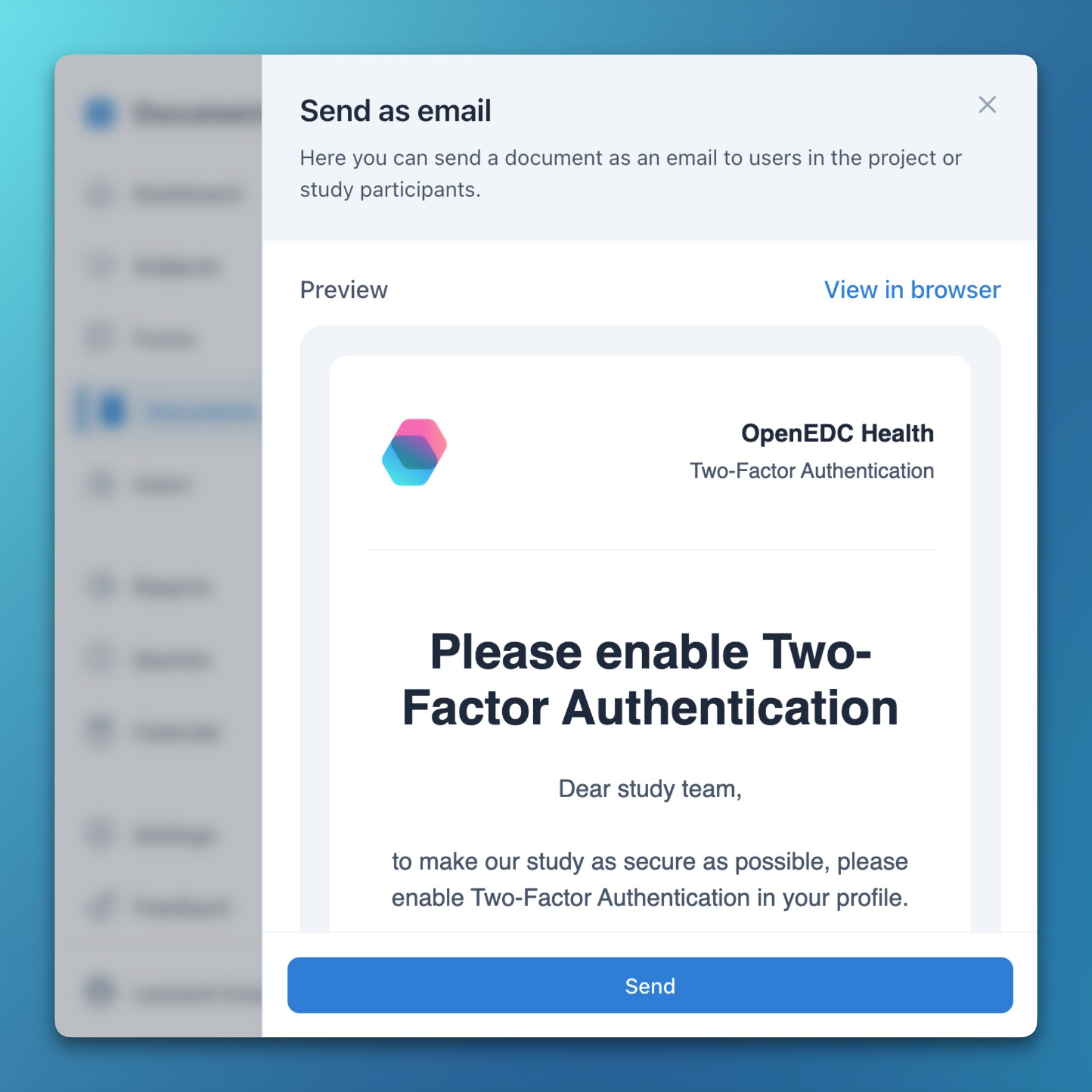
- You can now send any document via email to your team members or study participants.
- This makes it easy to distribute important information like reminders or announcements in a timely manner.
- For each email, the subject, language, an optional redirect button, and the list of recipients can be individually configured.
Improvements
- Render translated expressions in descriptive texts in the currently selected language of a multilingual form instead of the app language.
- Improve the position of the range slider value when the field has a description and allow calculating it with an expression.
- Enhance spacing and layout in PDF/A exports for descriptive texts and documents with complex HTML content like nested lists.
- The CDISC ODM exporter and importer now support missing reasons and validation states for individual item data values.
Bug fixes
- Solved an issue where saving a form temporarily as incomplete would not work when a mandatory field in a data matrix was unanswered.
- General: Example project
- Release Impact Statement →
Improvements
- The expression editor now automatically adds missing spaces before compound operators.
- Autocomplete items in the expression editor are now better sorted and grouped by event and form.
- The CSV clinical data import wizard now allows for re-mapping of text and numeric (i.e., non-codelist) values.
Bug fixes
- Solved a focus issue when clicking the expression editor below the actual input area not focusing the editor.
- Fixed a race condition where opening the dropdown menu next to a field (to add a new field below) and then opening the field’s options slideover (without adding a new field) caused the current field to lose focus, potentially resulting in unintentionally editing the parent element.
- Fixed another race condition when editing a form draft while having the same draft open for a subject (e.g., during initial database setup), which could result in the form getting stuck and not rendering properly.
- Release Impact Statement →
Improvements
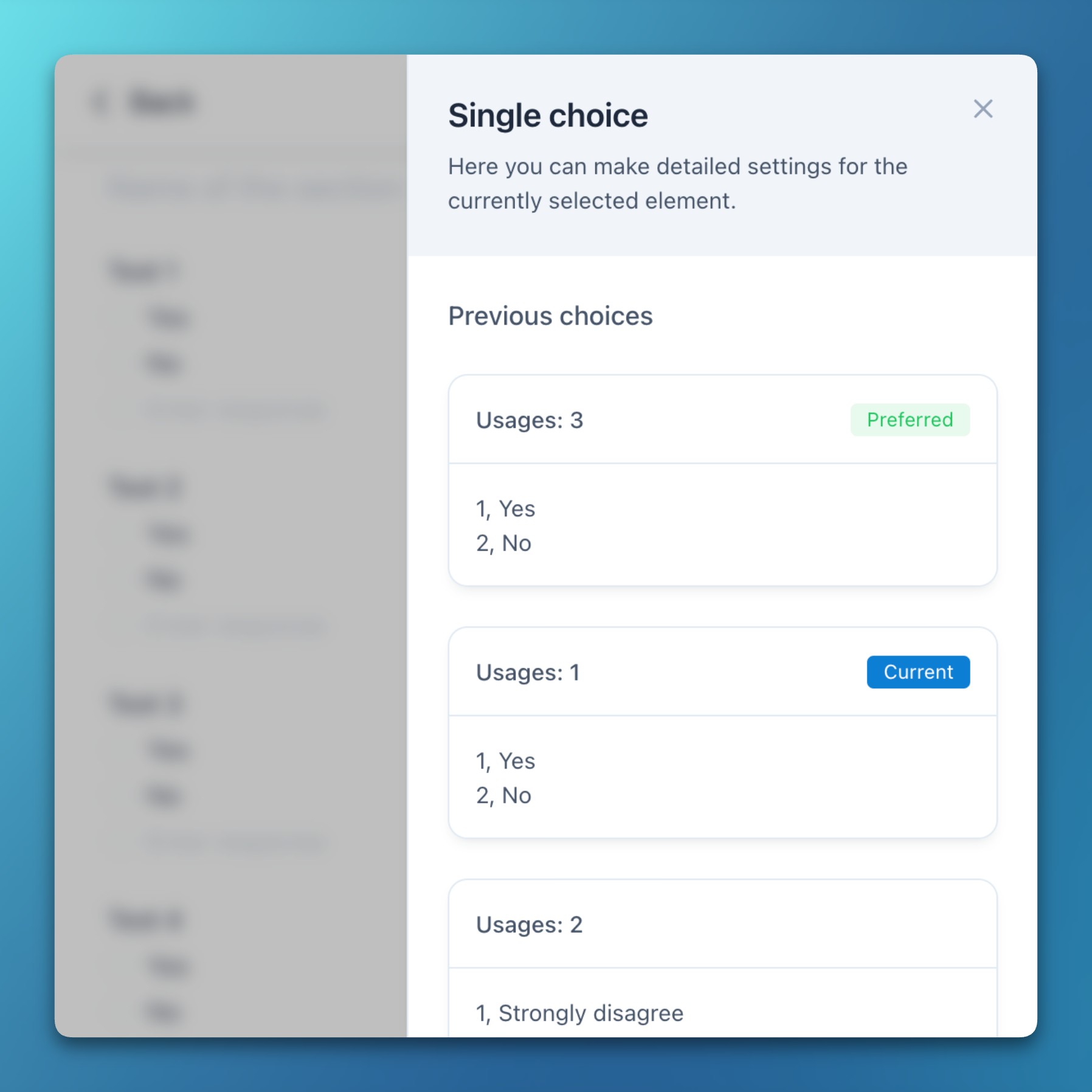
- Previous codelists are now grouped by coded values and sorted by the number of references, while also suggesting identical values with more references for improved standardization.
- When a study event or form is open, and a search input results in exactly one matched subject, the found subject will now be opened without closing the current study event or form.
Bug fixes
- Solved an issue that resulted in list filters not being project-scoped and thus still being active after switching to another project.
- Fixed a rare error with forms having more than 200 referenced items in expressions, resulting in an HTTP 414 (URI Too Long) response.
- Release Impact Statement →
Features
- Forms: Variable name rendering
- Added new project settings to explicitly choose whether variable names or translated texts should be rendered in conditions and reports.
- A new option in the default report allows to quickly switch between variable names and translated texts.
Improvements
- Removed option for mandatory fields from settings and instead make all new fields mandatory by default.
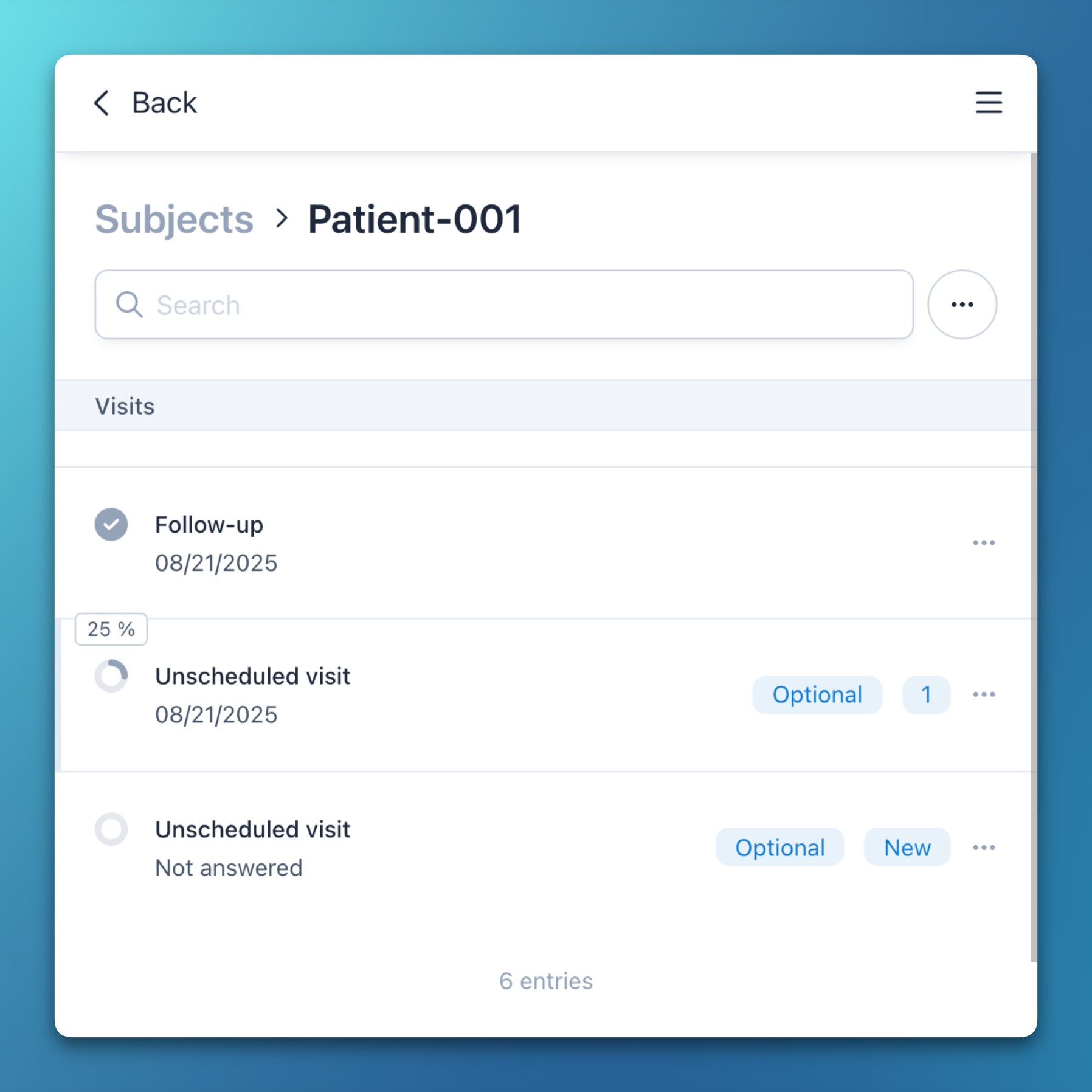
- Show the subject completion progress as percentage in a tooltip when hovering over the status icon.
Bug fixes
- Solved a rare issue when working in a server environment with a high latency (e.g., from another country) and rapidly creating new codelist items in the form editor, resulting in new items sometimes being overwritten.
- Forms: Variable name rendering
- Release Impact Statement →
Features
- Forms: Expression enhancements
- Added a new environment variable to expressions, allowing fields to be hidden based on whether forms are answered in the app or survey.
- Added a new getParameter function to expressions, allowing access to URL parameters for dynamic form behavior or data retrieval.
- Besides the existing floor and ceil functions, added a new round function for rounding to the nearest whole number.
- Calculations can now be of type Preload (in accordance with CDISC ODM MethodDef) to calculate a field value only once and prevent it from being overwritten when form data changes.
Improvements
- Added text align justify option to documents and descriptive texts which is also supported in PDF/A exports.
Bug fixes
- Solved an error that prevented users from unselecting a date value by clicking on the same day in the calendar again.
- Fixed an issue where conditional fields in the application settings were sometimes not rendered correctly.
- Forms: Expression enhancements
- Release Impact Statement →
Improvements
- Added border and center options to the Likert scale field for improved visual customization.
Bug fixes
- Fixed an issue where the button group field sometimes did not reflect data updates.
- Release Impact Statement →
Features
- Forms: Likert scales
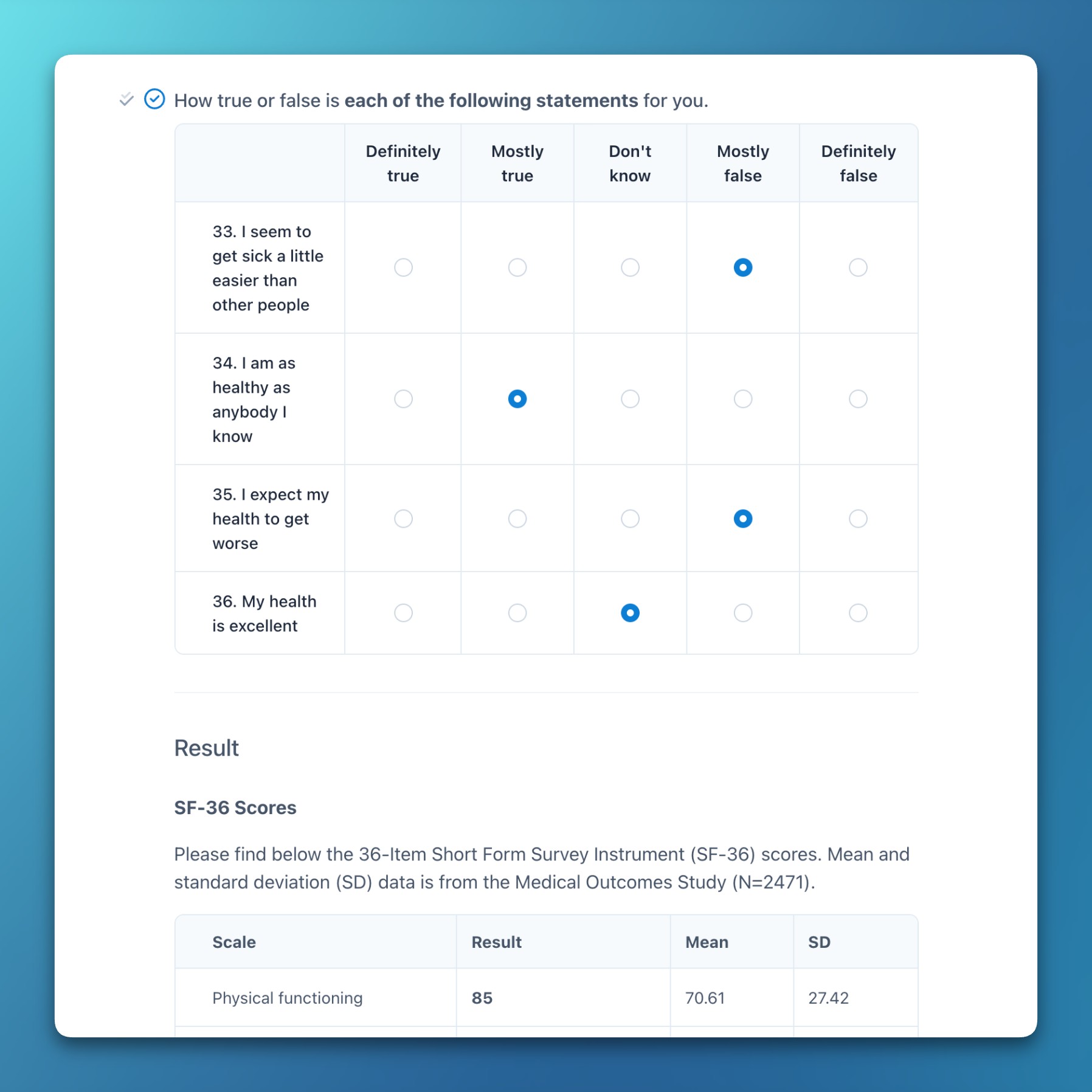
- Confimedis now provides a dedicated Likert scale field type, complete with a simple and interactive editor.
- Visually, a Likert scale is similar to a data matrix (introduced in v2.0.0), but offers a streamlined creation process.
- From a technical perspective, Likert scales are grouped items, enabling multiple Likert scales within one form section.
- This technical foundation opens up possibilities for future multidimensional data collection fields, such as coordinate systems.
- Likert scales are fully supported in PDF/A exports for robust and long-term and archival.
- Forms: Recode and average functions
- Added new recode function to remap coded values of multiple fields using a dictionary, enabling complex data transformations in calculations.
- Added new average function to calculate average values across multiple fields.
- These functions work seamlessly together to calculate scores for psychological questionnaires and scoring systems (e.g., SF-36).
Improvements
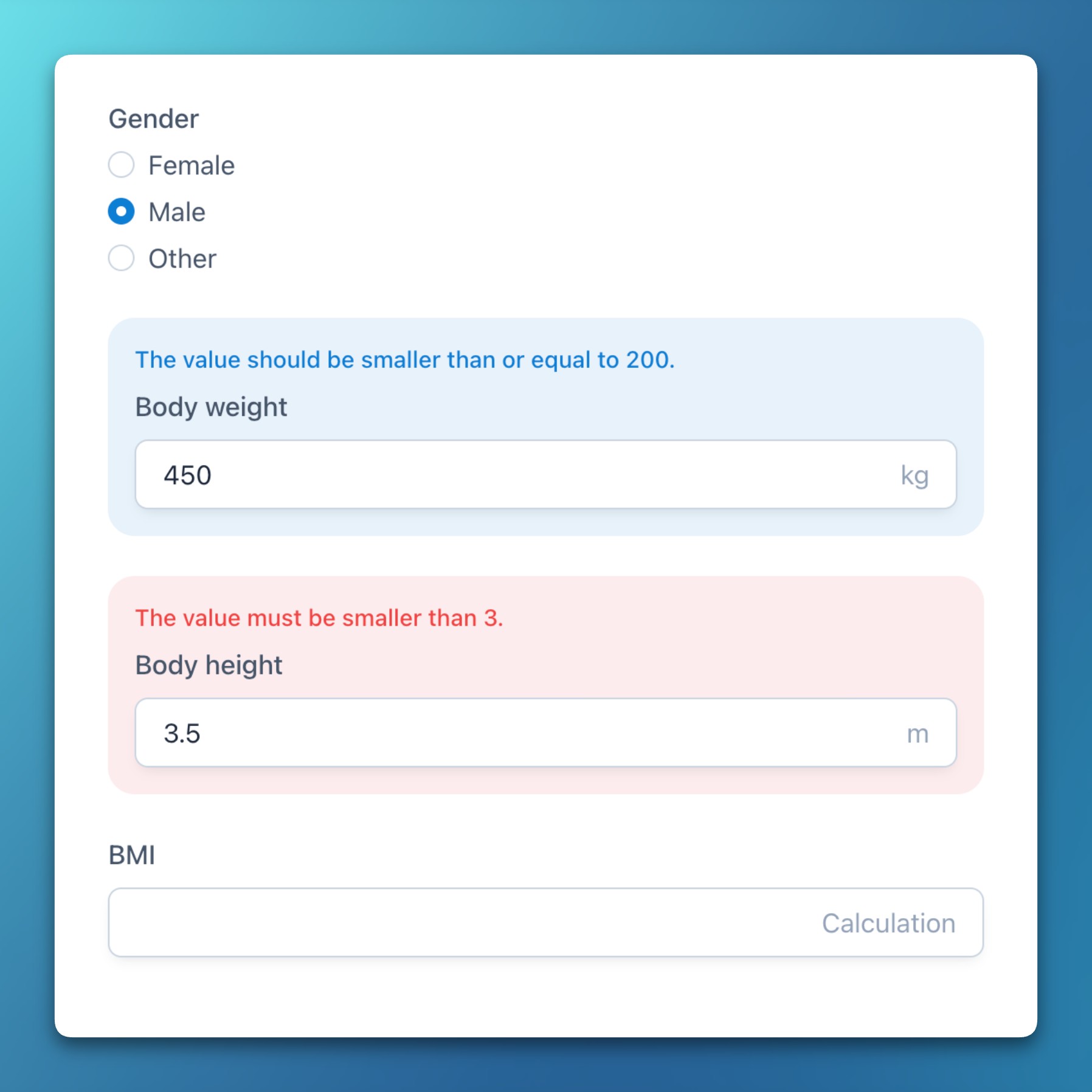
- To help distinguish between different types of validation, permissive (soft) validation messages are now displayed in blue, while strict (hard) rule violations remain in red.
- Improved performance when loading forms with many expressions that require data from other forms by fetching items in a batch.
- Active quick filters in lists are now highlighted in blue for better recognizability.
Bug fixes
- Fixed an issue where the form status could erroneously switch to Complete if a repeating section (with more than one instance) contained unanswered mandatory fields.
- Corrected a bug where removing a codelist item (i.e., a single or multiple choice option) sometimes didn’t work when using the backspace key.
- Solved a data export error in Chrome by requesting the directory handle before data fetch operations that could invalidate the user interaction context.
- Resolved a permission issue where project owners with minimal rights were not able to update project settings.
- Fixed two issues with conditions that sometimes prevented them from working in surveys or when referencing event names.
- Forms: Likert scales
- Release Impact Statement →
Improvements
- Custom fields with codelist items (introduced in v2.12.0) are now rendered as quick filters in the subject list by default.
Bug fixes
- Fixed a bug since Chrome and Edge 137 (June 2025) where creating a new codelist item in the form editor sometimes caused the cursor to move up instead of down.
- Custom fields in documents or descriptive texts that evaluate to a numeric zero (0) are now rendered correctly.
- Release Impact Statement →
Improvements
- Improved the positioning and spacing of headings and lists in PDF/A exports.
- New study events are now always added to the last study event group for better organization.
- The select field dropdown menu now covers the entire width of the field.
Bug fixes
- Date and time fields that included descriptions were sometimes not properly aligned.
- Release Impact Statement →
Features
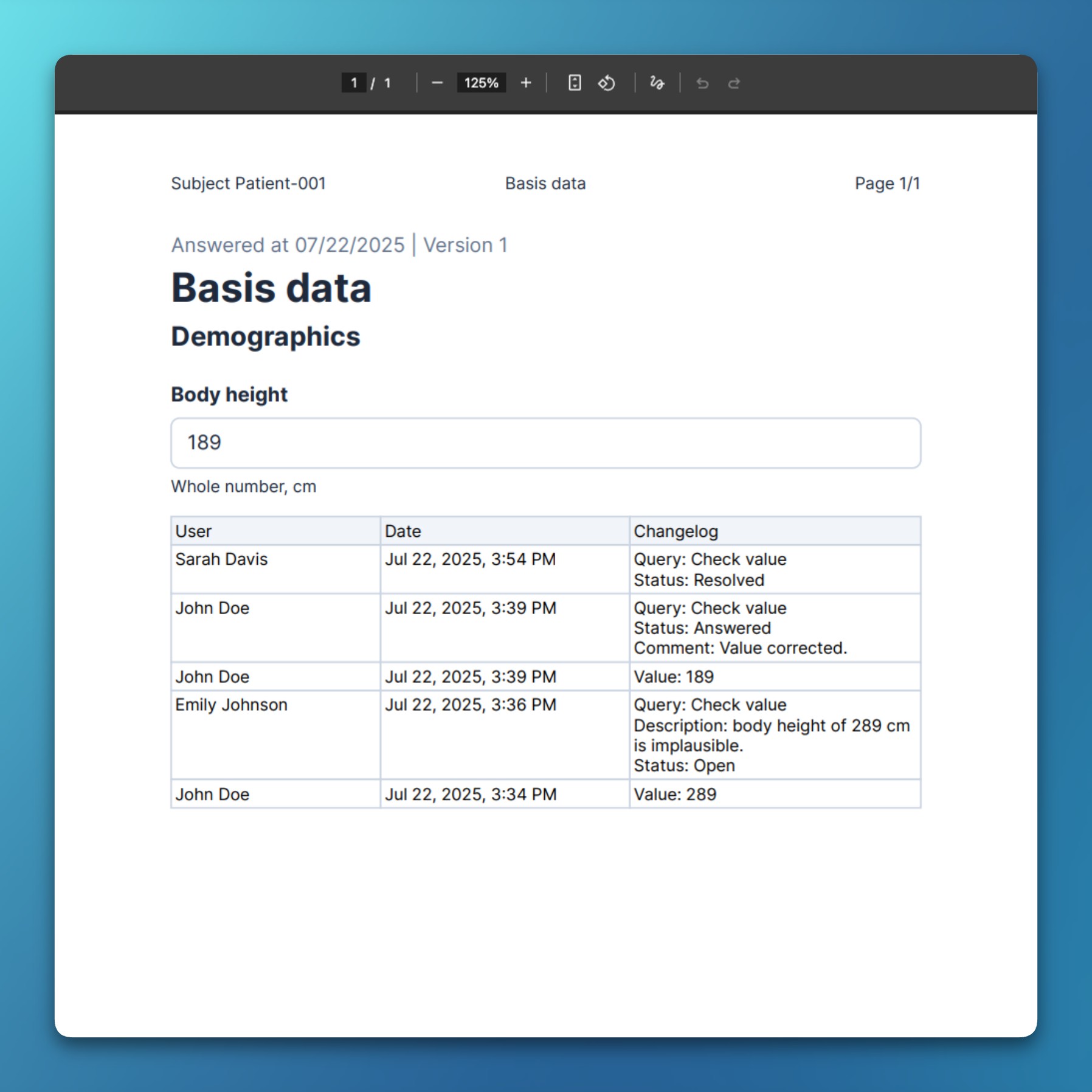
- Export: Queries in CDISC ODM and PDF/A exports
- Queries can now be exported to, and imported from, CDISC ODM-XML files.
- Exports include the entire history of each query, with all comments and state changes.
- For PDF/A exports, queries are added to an item’s audit table to provide a holistic overview.
Improvements
- When exporting a report table that has file columns, it’s now possible to export all included files as a directory.
- Export: Queries in CDISC ODM and PDF/A exports
- Release Impact Statement →
Features
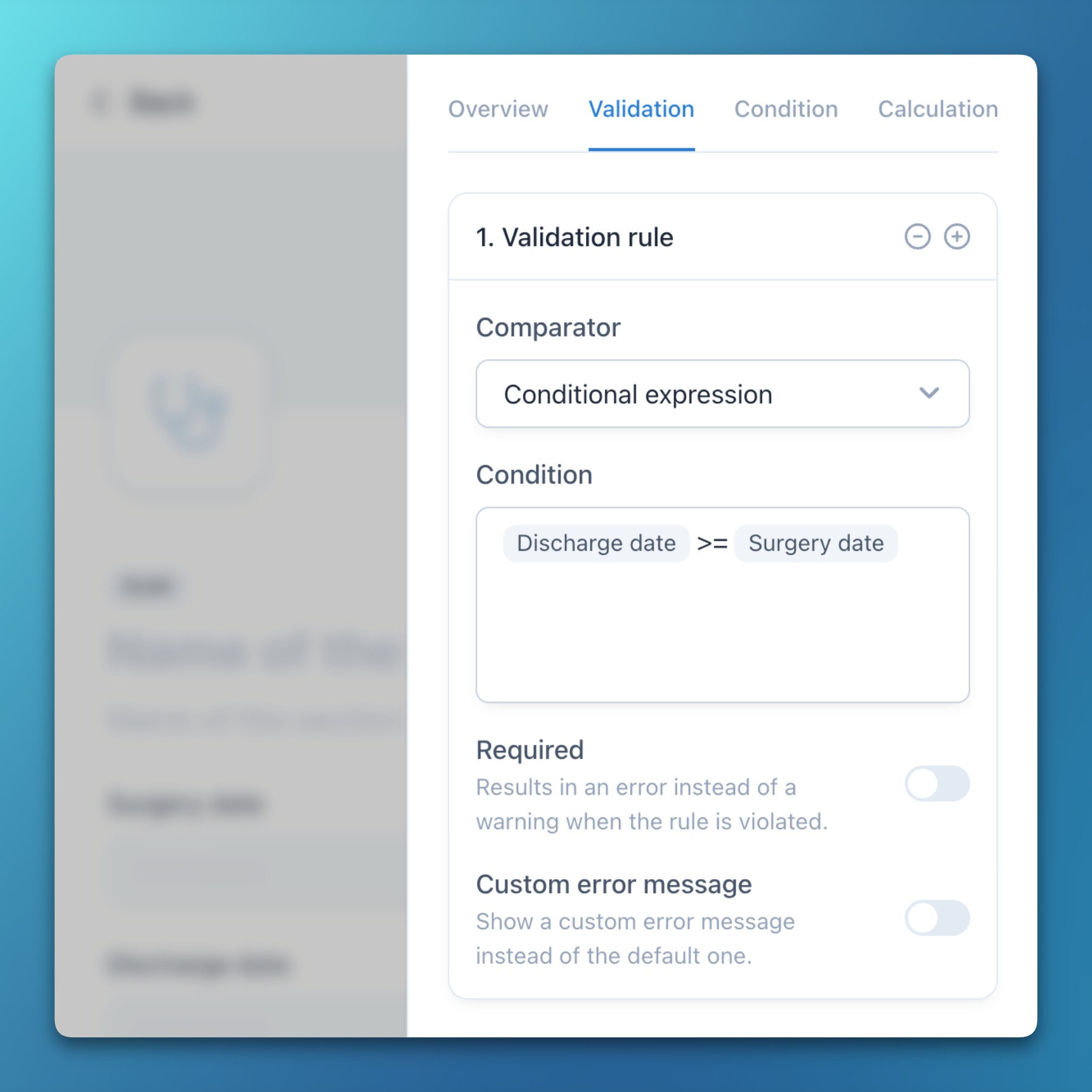
- Forms: Expressions in validation rules
- Custom conditional expressions can now be used in data validation rules.
- This allows for complex comparisons with previous values or functions (e.g., to ensure a date is not in the future).
- Furthermore, it is now possible to define custom and localized error messages for more precise user information.
Improvements
- Start and end of line anchors in regular expression validations are now appended implicitly, simplifying the process.
- Forms: Expressions in validation rules
- Release Impact Statement →
Improvements
- Repeating event, form, and section instance numbers are now rendered more consistently.
- The study protocol and event groups have been added to the audited data models.
Bug fixes
- Document updates are now rendered correctly when only the name of the document is changed.
- Fixed an issue where query updates that only contained a comment but no data change were not rendered.
- Release Impact Statement →
Features
- Documents: Redesigned documents
- The document editor now supports text alignment and tables.
- A new fixed inline menu is always reachable at the top of a draft document.
- Documents can now be exported to PDF/A, including text alignment, tables, images, lists, and more.
- Documents: Expressions in documents
- It’s now possible to add arbitrary expressions to documents and descriptive texts.
- Expressions can pipe in previously entered (clinical) data or perform calculations.
- New functions in expressions help to format dates and numbers into localized values.
- Conditional sections in documents can be hidden based on previous inputs.
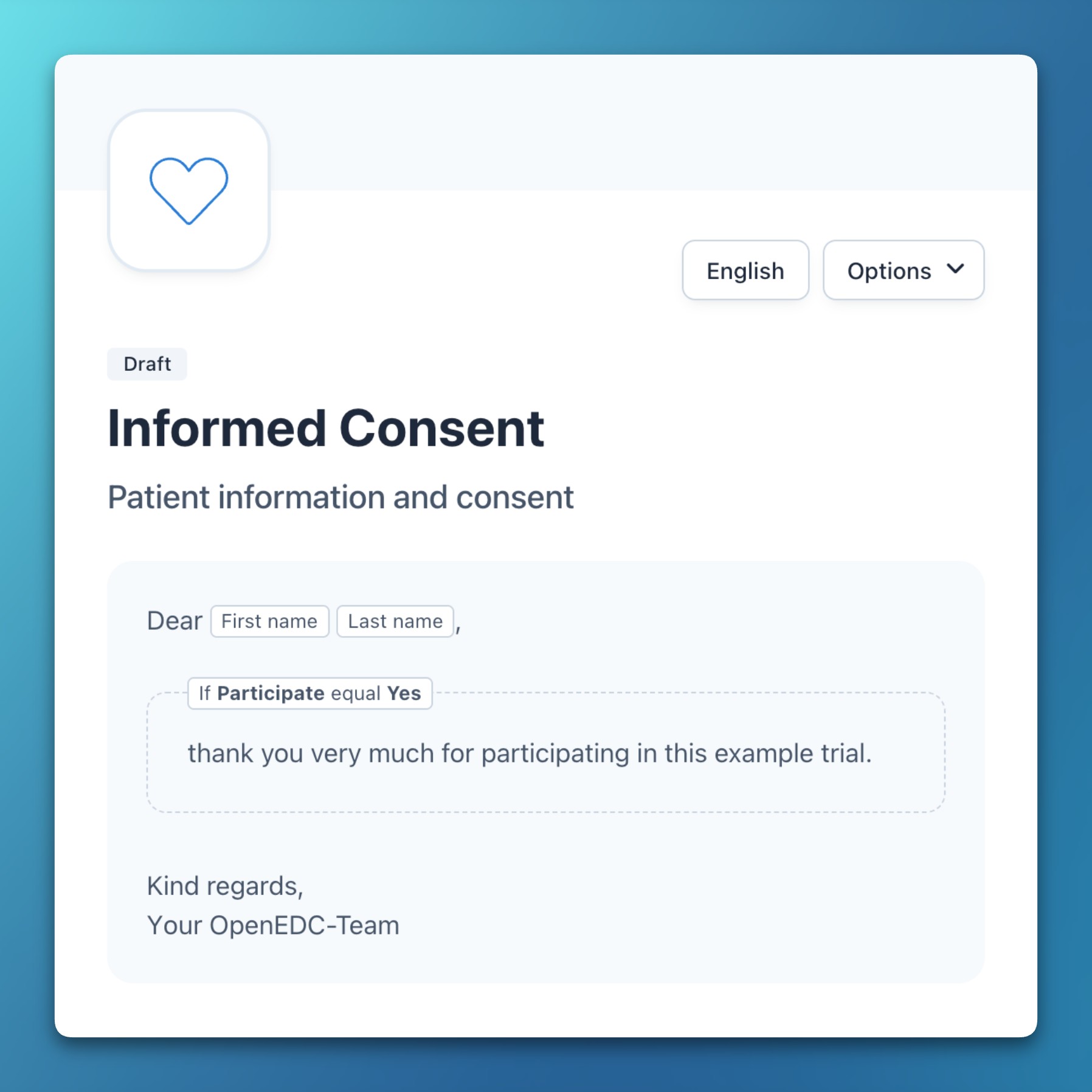
Improvements
- Custom fields are now rendered for events and forms when available.
- In addition to fields, sections, forms, and visits, study event groups can now be re-ordered via drag-and-drop.
- Documents: Redesigned documents
- Release Impact Statement →
Features
- Subjects: Custom fields in subject list and table
- You can now display any form field as a custom value in the subject list and table.
- Subjects can be filtered and sorted by these custom fields.
- The default subject creation date can be hidden if desired.
- This enables use cases such as adding a custom subject status or displaying an alternative date field.
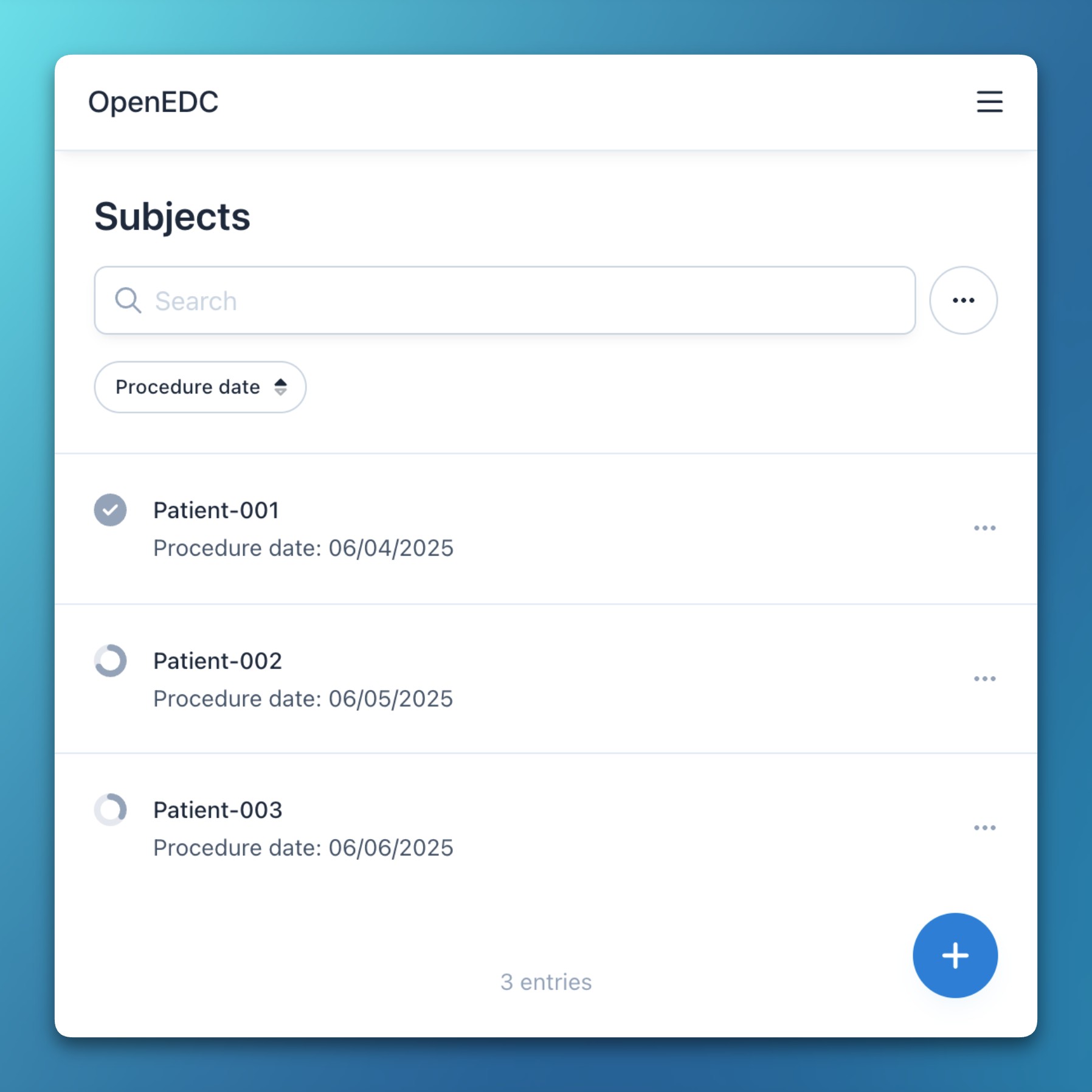
Improvements
- For fields in expressions (conditions and calculations), the event name is now shown if it’s different from the current one.
- Added custom step intervals for numeric inputs (integer and decimal), as well as for the range slider.
- The aggregated subject form status now renders more granular values instead of 20% steps.
- Numeric fields now use region-specific decimal separators in reports and exports.
Bug fixes
- Temporarily disabled the automated inactivity logout during large data imports to prevent interruptions.
- Improved the handling of conditional forms in repeating events.
- The completion progress for optional events is now shown without influencing the aggregated subject status.
- Subjects: Custom fields in subject list and table
- Release Impact Statement →
Features
- Subjects: Delete form data
- For each subject, a new menu option allows you to delete all data and the status of a selected form.
- For repeating forms, the selected instance will also be removed.
- Deletion requires permission and is recorded in the audit trail.
- Users: Required two-factor authentication
- The owner of a project can now mandate two-factor authentication (2FA) for all users.
- If a user without 2FA enabled attempts to access such a project, they will see an error with an option to enable it.
Improvements
- When a form is unselected from all events in the assignment matrix, an error message now prevents losing the reference to it.
- Improved the performance of file uploads, downloads, and previews.
- Subjects: Delete form data
- Release Impact Statement →
Features
- Subjects: Sortable subject list
- Subjects in the list view can now be sorted by their creation date in either ascending or descending order.
- Additionally, the list’s sort, filter, and search states are now persisted between navigations and reloads.
Improvements
- Subjects can now be filtered by their status: incomplete, complete, verified, or locked.
- Subjects: Sortable subject list
- Release Impact Statement →
Features
- PDF export and print functionalities now support including the audit trail.
Improvements
- Improved and extended the help documentation, especially for data management topics.
- In addition to events, forms can now also be marked as optional, which influences status aggregation.
- Added list and table virtualization for improved performance when rendering thousands of subjects.
- Release Impact Statement →
Improvements
- The guided CSV import now supports multiple choice data that is comma-separated.
- The CSV import now also supports repeating events, forms, and sections.
- Release Impact Statement →
Improvements
- File uploads are now resumable, show upload progress, and support files of up to 5 GB.
- The form header now supports custom image uploads and is resizable.
Bug fixes
- During a CSV import, the mapping of default fields sometimes did not work reliably.
- Release Impact Statement →
Improvements
- The range slider field now supports the decimal data type, which is useful for things like percentage values.
Bug fixes
- For timezones behind UTC, plain dates were sometimes rendered with a negative offset of one day.
- When auto-incremented keys were enabled, the subject slideover wasn’t shown, even when a user was assigned to multiple locations.
- Release Impact Statement →
Improvements
- Enhanced the performance and user interface of the form versioning dialog.
- Icons are now hosted with the app to improve performance through regional hosting.
Bug fixes
- You will now be correctly redirected to a subject from a scheduled event calendar entry.
2024
- Release Impact Statement →
Bug fixes
- The item question of relative paths in conditions will now always be rendered.
- Ensured that zeros are considered as a value in comparative expressions.
- When opening a form from a query, the affected field will now be scrolled into view.
- Release Impact Statement →
Improvements
- Made performance improvements for queries.
Bug fixes
- Forms are now hidden in the status overview for users without edit or view permissions.
- The “add event” button is now hidden for users without editing permissions.
- Release Impact Statement →
Features
- Subjects: Form status overview
- The subjects module now offers a tabular overview of all form status values: incomplete, complete, verified, locked, and skipped.
- When clicking on any status, a slideover appears for data entry or editing.
- When visits or events are enabled, grouping headers visually join all forms from one event.
- Fixed headers and the subject key column allow for precise identification even when scrolling in large tables.
- Header sorting options allow you to sort by subject key, recruitment date, and location.
- New repeating instances for events and forms are rendered dynamically.
- Subjects: Form status overview
- Release Impact Statement →
Bug fixes
- When clicking on the top right arrow within a query, not only the event but also the corresponding form will now be opened.
- On a CDISC ODM import, data UUIDs will now be replaced to ensure uniqueness.
- When creating a new form draft, multiple references to the same codelist are no longer duplicated.
- In conditions with boolean operators, numeric values are no longer compared using lexicographical order.
- Release Impact Statement →
Features
- Reports: Pie chart
- A new pie chart can now be added to custom reports to visualize the ratio of categorical values.
- A chart-based filter can now be deselected by simply clicking on the value again.
- Reports: Date binning in charts
- It’s now possible to group date values by year, month, day, or weekday in categorical charts (e.g., bar or pie charts).
- Binned values can be used as live filters (e.g., showing subjects recruited in a specific year, month, or a combination of both).
- Users: Role and permission matrix
- Roles and their assigned permissions can be viewed and edited in a tabular overview for improved clarity.
- Two new default roles were added for study nurses and data managers.
Improvements
- The date picker now also supports the time-only data type.
- Reports: Pie chart
- Release Impact Statement →
Improvements
- Authorized users may now withdraw their own signatures.
- Based on locations and permissions, only relevant users are displayed in the list of responsible people for a query.
- Release Impact Statement →
Improvements
- The form lock state can now be set independently from the completion and verification status.
- This change also fixes an issue where the form status button was disabled for users who had lock-forms permission but not edit-data permission.
- Form signatures are now rendered in the audit trail slideover within the subjects module.
- The form lock state can now be set independently from the completion and verification status.
- Release Impact Statement →
Improvements
- The form status aggregation now only considers mandatory events and shows the completion progress as a percentage.
- Improved authentication routing by using One-Time Passwords (OTPs) instead of URLs for invitation and recovery emails.
- Release Impact Statement →
Features
- Subjects: Bulk signatures
- Users may now sign (and optionally lock) all forms of a given subject or event at once.
Improvements
- For long forms, the footer now floats at the bottom of the screen for quick access to save and close options.
- An error is now shown when a user attempts to assign an already occupied variable name to an element.
- User roles can now be exported and imported in the CDISC ODM format.
- An item may now have multiple validation rules (i.e., range checks) assigned to it.
- Subjects: Bulk signatures
- Release Impact Statement →
Features
- Surveys: Open and logout (tablet mode) for surveys
- Surveys can now be opened directly from within the app, which will first log out the current user.
- After the survey is finished, a link is rendered to redirect the user back to the app, which will require a new login.
- The redirect search parameter can also be used for custom purposes in self-embedded surveys.
- Forms: Study arms
- Study event groups can now be defined as arms, with customizable and translated descriptions.
- Subjects must be explicitly assigned to a study arm in order to collect data for that arm.
- Forms: Conditional forms
- In addition to events, sections, and items, conditional expressions can now also be attached to forms.
- Events and forms with unmet conditions are still rendered in the subjects list but are disabled for editing.
- A notification is shown for each skipped form, explaining why it has been conditionally disabled.
Improvements
- Implemented batched clinical data persistence for improved performance.
- Surveys: Open and logout (tablet mode) for surveys
- Release Impact Statement →
Improvements
- Range checks can now be defined as “soft” or “hard,” where soft checks only give a warning instead of preventing data from being saved.
- A regular expression can now be specified in the settings to define and constrain the format of manually entered subject keys.
- Added a new permission that is required for a user to be able to delete subjects.
- Support for custom translations has been added via an addTranslationOverwrite API.
- There is a new option to batch export multiple CSV files, split by event and form.
- A new permission allows forms to be locked independently of their verification status.
- Events can now be used within conditional expressions to hide or show fields based on the current event.
- You can now revoke the verification of item data via the status panel.
Bug fixes
- Inputs in the data matrix are now correctly disabled if a user is missing edit permissions.
- The form status selection is now properly enabled for users with verify and sign permissions.
- Release Impact Statement →
Features
- Forms: Reuse of codelists
- The codelist panel now renders previously defined codelists and allows you to reuse them.
- Codelists are reused by reference rather than by copying them, and the number of references is shown for each codelist.
- Documents: File uploads in documents
- The documents module now allows the upload of files while rendering PDFs, images, and videos.
- Versioning is supported by uploading new file versions for a specific document.
- When referenced in forms, supported files are rendered there as well.
Improvements
- Reports and CSV exports now render event and form names in dedicated columns and only include each item once, even if it is referenced in multiple events or forms.
- Forms: Reuse of codelists
- Release Impact Statement →
Features
- Forms: Pattern matching
- For fields with a text data type, a regular expression can be specified to constrain the data input.
Improvements
- Mandatory fields are now clearly labeled in the PDF export.
- Added support for the datetime data type in a data matrix.
- Data matrices are now validated on input and on submit.
- Added abs, date, left, and right functions to the expression parser.
Bug fixes
- Added a missing project field to the compound key path.
- The status for forms with multiple sections is now aggregated properly.
- For autocompletions in expressions, the field list will now be correctly returned for items that do not have a codelist.
- Forms: Pattern matching
- Release Impact Statement →
Features
- Subjects: Data matrix
- Form sections can be enabled as a “data matrix” to render inputs in a tabular view.
- Repeating sections can dynamically add and delete rows for repeating instances.
- Subsequent sections with the same or similar questions are merged into one table.
- When required, a matrix can be temporarily transposed to edit queries and perform SDV.
- Subjects: Compound primary keys
- Item data and form status models now overwrite existing data on API imports.
- Data imports are now performed in batches to improve performance.
- Export: Trial protocol PDF export
- There is a new option to print all events, including all forms of a project.
- This feature supports repeating events, forms, and sections, even if they are nested.
- It also supports printing all clinical data for a selected subject.
- You can now optionally add variable names and coded values to the PDF export.
- Export: Unified CSV and PDF exports
- In addition to the report module, CSV files can now be downloaded from the export module.
- In addition to the forms and subject modules, PDF files can now also be downloaded from the export module. This uses the new File System Access API when PDFs for multiple subjects need to be downloaded.
- General: Batched transactions
- Persisting hierarchical data now uses batched database transactions to improve performance.
- Subjects: Data matrix
- Release Impact Statement →
Improvements
- Single choice fields can now be visually represented as select or dropdown menus.
- Forms can now be saved with missing mandatory fields when the status is set to “incomplete”.
- The use of special characters and spaces within subject keys is no longer prevented.
- Added support for count and sum in calculation and conditional expressions.
Bug fixes
- Fixed accessibility issues with the range slider field on mobile Safari (iPadOS and iOS).
- Release Impact Statement →
Improvements
- In addition to events and fields, conditional expressions can now be entered for sections.
- Study events can now be assigned to pre-defined groups (currently general and visits).
- Release Impact Statement →
Improvements
- Adding existing forms to an event can now be done via a tabular view, which shows the assignment for all events.
- Release Impact Statement →
Improvements
- In addition to forms and sections, events can now be set as repeating.
- Release Impact Statement →
Improvements
- Added support for date subtraction, as well as floor and ceil functions, in expressions for calculated fields.
- A user’s preferred name and email are now copied when adding a non-centrally managed user to another project.
Bug fixes
- Numeric expression results for calculated fields of the “integer” type are now rounded correctly.
- The translated missing reason is now rendered correctly in forms and reports.
- Release Impact Statement →
Features
- Forms: Calculated fields
- Mathematical expressions can now be used to automatically calculate fields (e.g., to calculate the BMI).
- The expression editor was updated to suggest mathematical operators (such as for add, subtract, multiply, and divide).
Improvements
- Decimal fields are now rendered with two decimal places by default.
- Forms: Calculated fields
- Release Impact Statement →
Features
- Subjects: End-to-end encryption for clinical data
- Text, date, and signature fields now support end-to-end encryption for protecting personally identifiable information.
- The encryption uses the PRF extension for Passkeys, enabling biometric encryption via Touch ID, Face ID, or Windows Hello.
- A hybrid encryption algorithm uses asymmetric and symmetric primitives from the Web Crypto API (RSA-OAEP and AES-GCM), supporting end-to-end encrypted survey and participant data via a public project key.
- Encrypted data can be viewed after authentication within forms, reports, and the audit trail.
Improvements
- File uploads can now be viewed and downloaded from the audit trail.
- Subjects: End-to-end encryption for clinical data
- Release Impact Statement →
Features
- Forms: Metadata versioning
- Each form / eCRF now either has a version number or is in draft mode. Published forms can no longer be edited without creating a new draft first.
- When publishing a draft, the system checks already-captured clinical data for compatibility with the new draft and shows errors for any inconsistencies.
- Export: PDF/A export
- Answered and empty forms, as well as entire events, can now be exported in PDF/A format.
- The export supports repeating forms and sections, conditions, electronic signatures, descriptive texts including images, and file upload fields.
- Export: Export and import module
- For data exports, various options to select data are available, such as specific events, forms, locations, documents, and files.
- When importing CDISC ODM, these options are also available, allowing you to specifically select which data should be imported.
- Importing CDISC ODM now allows you to merge metadata into an existing project while showing already-existing events and forms.
Improvements
- The eConsent feature now uses metadata versioning to support arbitrary patient information documents, while showing the signed version for each subject.
- Translated conditions are now rendered directly in the editor fields.
- Customizable preset roles with a defined set of initial rights are now available in the user management module.
- The date picker field now supports the datetime data type.
- Forms: Metadata versioning
- Release Impact Statement →
Features
- Participant: Participant app and self-registration
- Study participants can now register themselves via a survey and then use a mobile web application to answer scheduled events.
- The mobile application shows current, upcoming, and previous events and allows for editing previously made answers.
- Participants can use multi-factor authentication and other account-related functionality.
- The user module was updated to provide quick filters for showing team members or study participants.
- The user module now shows a default role for participants to select forms that may be viewed or edited.
Improvements
- A missing reason with an optional comment can now be specified for every field in a form at once.
- The query details now automatically scroll to recently made changes to improve collaborative editing.
- Participant: Participant app and self-registration
- Release Impact Statement →
Improvements
- Automatically rendered upcoming event periods can now be specifically dated, timed, and persisted per subject.
Bug fixes
- All-day events will now always be rendered before timed events.
- Release Impact Statement →
Features
- A new calendar module is available for both collaborative and personal date management, supporting timed and multi-day events.
- You can now schedule events (or visits) with absolute or relative time periods, including the automatic rendering of upcoming events per subject in the calendar and subject modules.
- Release Impact Statement →
Improvements
- Network connectivity issues are now caught when submitting clinical data in the subject module and in surveys.
- Release Impact Statement →
Improvements
- An automatic inactivity logout feature has been added, which logs out a user after a defined period of inactivity.
- A user’s account will now be automatically locked after a defined number of successive failed authentication attempts.
- Release Impact Statement →
Improvements
- The web app now includes an interactive onboarding tour that introduces key features.
Bug fixes
- Expression data for nested conditional fields will now be unset rather than deleted.
- Release Impact Statement →
Improvements
- A cryptographic hash has been added to form signatures to securely identify a specific set of values.
- Multi-factor authentication is now allowed when signing forms.
- Release Impact Statement →
Improvements
- Significantly improved the performance for loading metadata from the server.
- Release Impact Statement →
Features
- There is now a default report to view the audit trail for all audited data models.
- The audit trail has been enabled for metadata and admin data models.
- Release Impact Statement →
Features
- Added form signatures with re-authentication to allow users to take legal responsibility for data.
- Release Impact Statement →
Features
- Implemented Source Data Verification (SDV) and Missing Reasons (Null Flavors).
- Uploaded files can now be previewed in reports.
- Implicitly given permissions are now shown visually.
- Data read and write permissions can now be specified on a per-form basis.
- Release Impact Statement →
Initial release